2025 Year in Review
2025 brought us another year of game-changing tools, improvements, and innovations—most of which were inspired by your feedback! This year, TenantCloud saw a variety of app upgrades, new partnerships, and powerful automation tools, all in our quest to make rental management easier.
Whether you manage one unit or a growing portfolio, know that we built these updates with you in mind.
Let’s take a look at the upgrades that made this year a success.
Reports Update & Report Preview Page
Faster reporting with 17 improvements + instant preview
If you noticed faster loading, cleaner data, and more accurate snapshots with our reporting tool this year, it’s not all in your head—17 of our most frequently used reports received major upgrades this year.
Additionally, a new Report Preview Page provides a bird’s-eye view without requiring a PDF download—saving time and making quick check-ins effortless.
What this means for you:
- Clearer, more readable financial data
- Faster load times and smoother navigation
- Preview available before exporting
- Better accuracy across 17 core report types
Trusted by users – 60% rely on the reports daily, and 75% use it monthly!
Occupancy Board
A visual timeline to quickly act on upcoming vacancies
The addition of the Occupancy Board offered an at-a-glance view of overall lease activity. Renewals, move-outs, and unit availability are now easier to track, helping prevent gaps between tenants and reducing manual planning.
What this means for you:
- Visual timeline of leases
- Easy identification of upcoming turnovers
- Less guesswork and fewer surprise vacancies
Cloudia - AI Listing Assistant
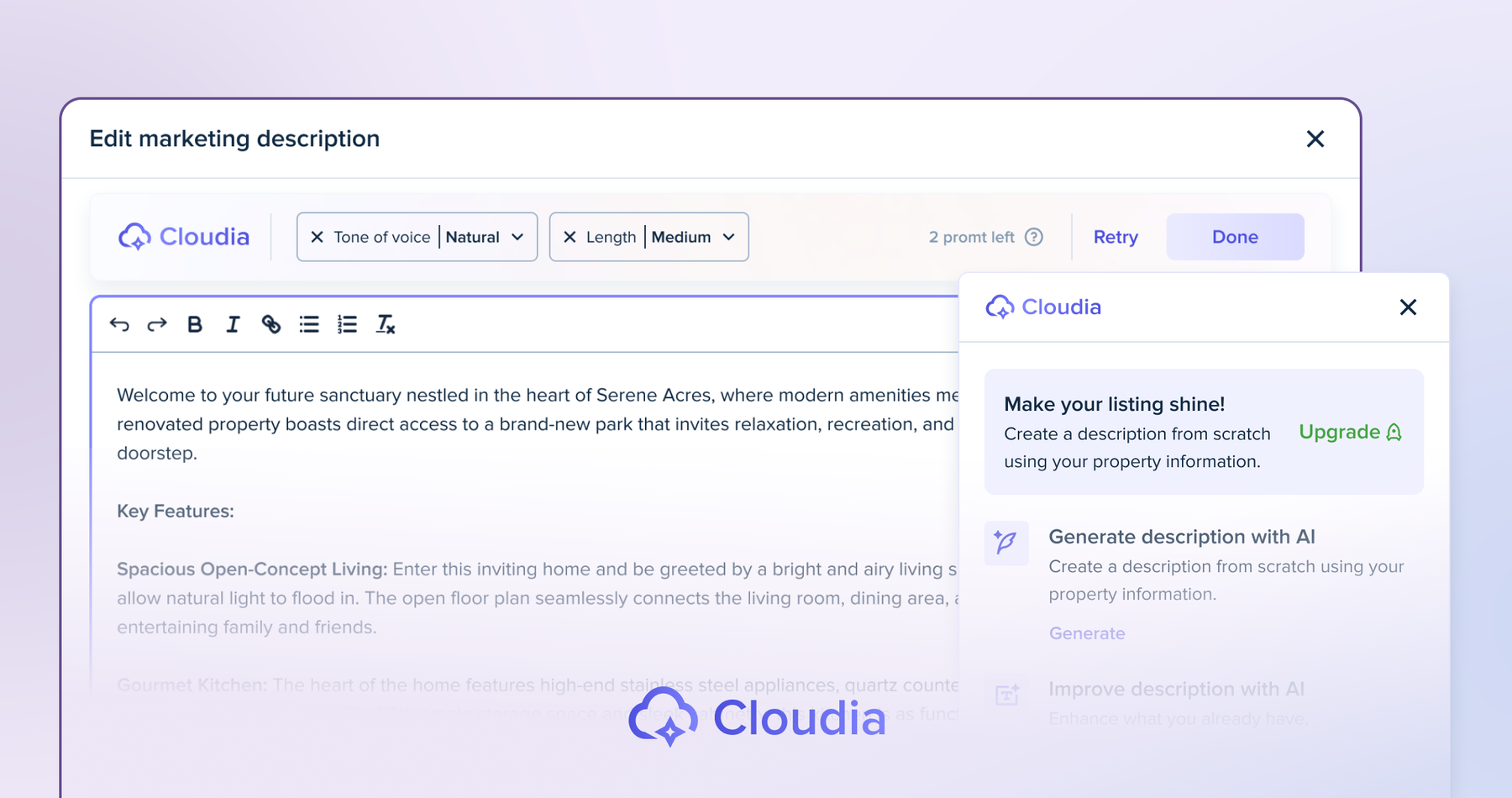
High-quality listing descriptions powered by AI
Cloudia entered the chat to create polished and engaging listing descriptions in seconds. With one click, users can generate descriptions that match property details, highlight amenities, and stand out on listing sites—no creative writing skills required.
What this means for you:
- Professional listings at your fingertips
- Unique descriptions tailored to each property
- Better consistency across listings
- Increased visibility with clearer descriptions
With the addition of Cloudia and other listing features, we needed to create a more intuitive flow. This led to several redesigns before landing on the powerful listing flow you experience today.
Tenant App Upgrades
Smoother onboarding and more helpful tenant tools
Our tenant mobile app received several upgrades to improve onboarding, set up utilities, and help tenants build credit through rent reporting. These improvements aimed to improve the renter experience while reducing the workload for landlords.
Additionally, we organized the app to better reflect the flow in the desktop version, creating a more consistent experience across devices.
What this means for you:
- Tenants can set up utilities directly in the app
- Past + ongoing rent payments can be reported to credit bureaus
- Cleaner, more intuitive tenant onboarding
State-Specific Legal Forms
Attorney-approved landlord forms for every state
We added a library of state-specific, attorney-approved legal forms for landlords. Landlords now have easy access to a variety of legally compliant documents, available separately or in budget-friendly bundles.
These forms were also designed to work with TenantCloud, allowing for autofill with existing TenantCloud data.
What this means for you:
- Attorney-approved forms for each state
- Autofill function adds in property and tenant info
- Available as single forms or full bundles
- Reduces errors and simplifies compliance
Landlord & Accounting Tools Upgrades
Listing Wizard & Syndication Updates
New listing wizard received a fresh interface and flow. Syndication expanded to additional platforms, such as Zumper, increasing exposure.
Invoice Payment Order Option
Payment order gives landlords the option to require tenants to settle older invoices before paying new ones. This option aims to reduce the accumulation of late payments and maintain a predictable cash flow.
Tenant Screening via Asurint
We added tenant screenings through Asurint for more accurate criminal, eviction, and credit reporting. Asurint offers detailed background and county reports to help you make more informed decisions as a landlord or property manager.
Income & Employment Verification (Snappt)
Verify applicant pay stubs, bank statements, and employment details quickly. Landlords can require verification during the application process or request it separately, reducing the risk of fraud and ensuring a smoother, more secure screening process. Reports are available as printable PDFs for easy reference and review.
Transaction Tags & Multi-Category Filters
Accounting tools received an upgrade with custom tags and multi-category filters. Landlords can now create tags for recurring invoices, filter by multiple categories simultaneously, or export reports with tags included, providing a clearer and more organized report.
Balances Page Update
An updated balances page enables landlords to track tenant balances and property income more efficiently. With separate tabs for property and tenant-based income, totals for each property, transaction status filters, and streamlined CSV exports, keeping your finances organized has never been easier.
Some updates, such as the expanded report export options and new navigation elements, required more backend changes than initially expected. The delay pushed timelines, but it also led to cleaner, more stable releases.
Maintenance & Operations Upgrades
Maintenance Requests: New List Design & Bulk Operations
Managing multiple maintenance requests is now faster and more efficient. The updated list view and bulk action tools enable you to assign, change status, or delete multiple requests simultaneously, saving time and keeping your workflow organized.
Keys & Locks: New List Design & Bulk Operations
Updating keys and locks across properties is easier than ever. With the redesigned list and bulk operations, you can make changes to multiple keys and locks in just a few clicks, reducing manual effort and maintaining consistency across your account.
Utility Services
We added a utility feature to help tenants connect to their utilities directly through TenantCloud. Tenants can select providers, submit connection requests, and upload confirmation documents, reducing delays and ensuring a smoother move-in experience for everyone involved.
Leases & Legal Tools Updates
Leases Page
The new leases list makes it easy to view and manage all leases in one place. This view provides key details—lease number, status, tenants, rent, and quick actions—while highlighting total, future, and soon-to-expire leases, allowing you to take timely action.
Lease Updates & Recurring Rent Adjustments
Track lease edits and history with enhanced lease timelines. Plus, schedule rent increases or decreases directly from the Recurring Rent section.
Import Leases
Save time with bulk lease imports. Landlords and property managers can upload up to 500 leases at a time using a system template, validate the data, and manage up to 10,000 leases per day, significantly reducing manual entry.
PDF Editor for Owner Agreements
Customize and send agreements with a new PDF editor. Add signature fields, text boxes, checkboxes, and attachments directly in TenantCloud before sending to owners, streamlining the workflow.
Last but Not Least: New Navigation
We know you work at a fast pace, so we bumped up our navigation to match. This updated interface reorganizes areas such as listings, leases, and maintenance requests, so you can find what you need quickly. With new seamless movement from tab to tab, managing your tasks is now easier.
2024 Year in Review
As 2024 winds down, we’re excited to share the best bits of what made this year unforgettable. From app launches to major partnerships, we’ve been busy improving the TenantCloud experience. Let’s dive into our top updates, and trust us, there’s more fun to come in 2025!
We’re excited to share the highlights that made 2024 an unforgettable year:
Features and Improvements
Tenant App
Tenants, rejoice! Manage everything in a sleek, easy-to-use app.
We introduced our tenant app. Tenants can now experience the same benefits they have online with TenantCloud in an easy-to-use, tenant-friendly app.
- Find the perfect home to rent
- Pay rent online
- Set up autopay for recurring transactions
- Create and track maintenance requests
- Communicate with the landlord
- Stay in the loop with “What’s New”
Download our app for tenants now from the App Store or Google Play.
Essential and Premium County Searches
We’re giving you even more power with detailed background checks.
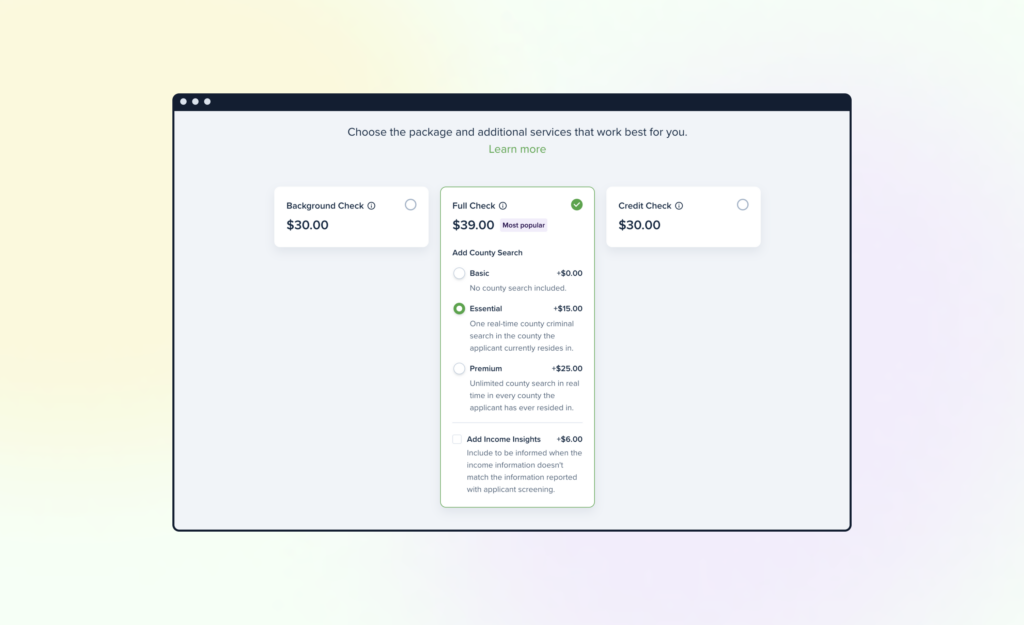
We partnered with TazWorks to provide even more detailed background checks on tenants. We also added a new screening report – County Criminal Records Search – which provides an in-depth county search that can be included with certain screening packages. Our Essential County Search includes one real-time county criminal search in the county where the applicant resides, and our Premium County Search provides an unlimited, up-to-date search of every county an applicant has lived in.
Back Rent Reporting
Helping tenants boost their credit with past rent reporting.
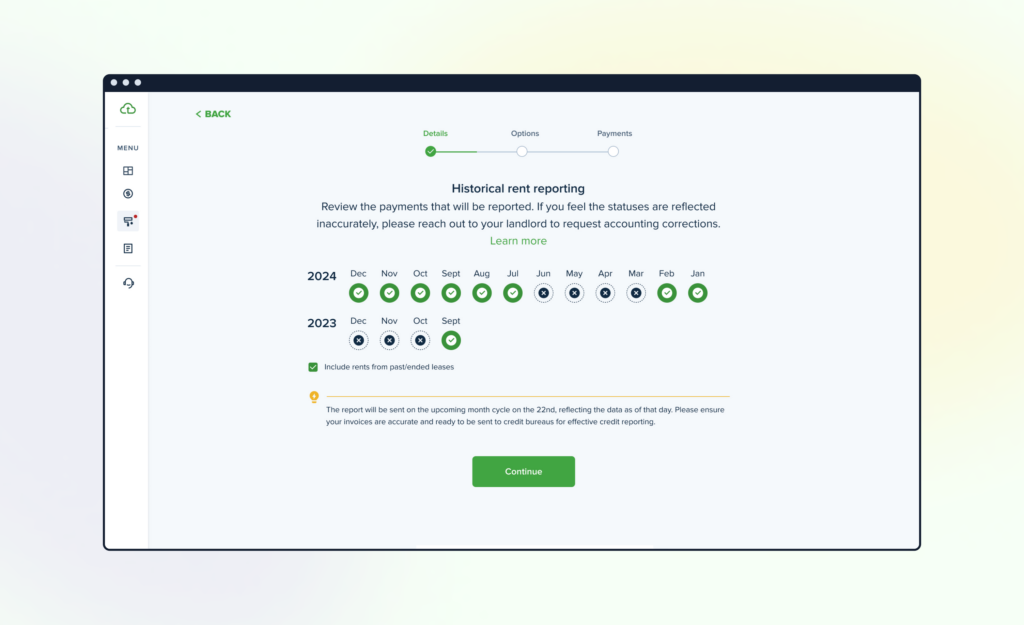
We started reporting “back rent” to Equifax & TransUnion, giving tenants the opportunity to improve their credit score in a short period of time by reporting 24 previous months of rent payments to credit bureaus. Tenants can now select “Ongoing Reporting” for gradual score improvement over several months or “Past & Ongoing Reporting” to increase their chances of improvement and continue building it over time.
Improved Dashboard & Navigation
Navigation just got a major facelift!
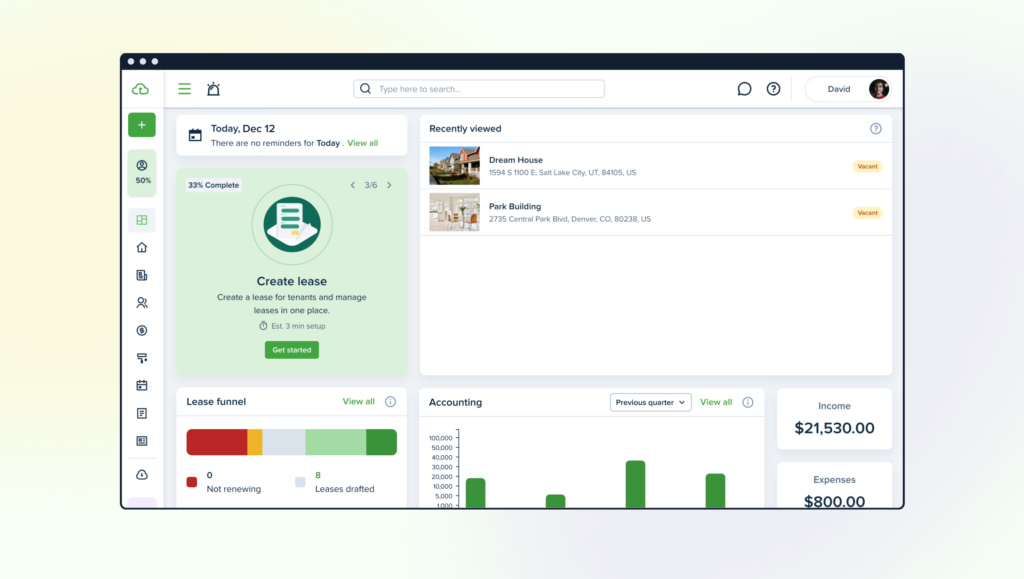
The Navigation panel, Header & Dashboard are now more intuitive and user-friendly, complete with new categories so you can easily find what you’re looking for.
Rent Reporting Bundled with ACH
Tenants can now take control of their financial journey!
Tenants can now wave bye-bye to ACH fees while building their credit with TenantCloud. Enrolling in ongoing Rent Reporting will guarantee free ACH payments, plus, all invoices will have $0 ACH transfer fees at checkout.
Move-in/Move-out Inspections
Record property state between tenant transitions.
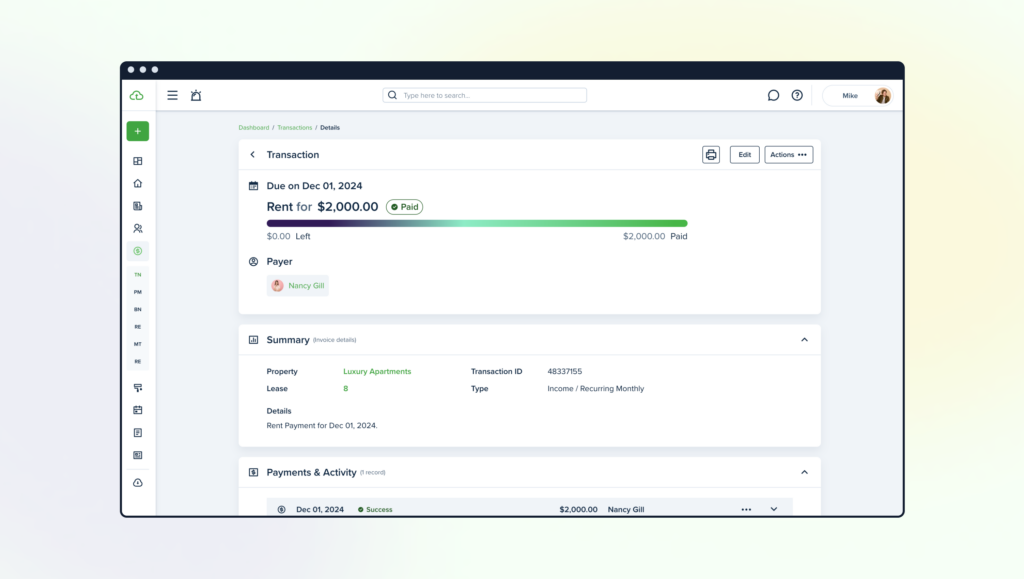
We released the Move-in/Move-out Inspections tool! This feature allows you to keep detailed records of the property’s condition when tenants move in and after they move out. Here’s the cool part: any issues or damages will instantly trigger a Maintenance Request for both landlords and tenants. Simple, right?
Separation of Lease Agreements and Insurance from Lease Status
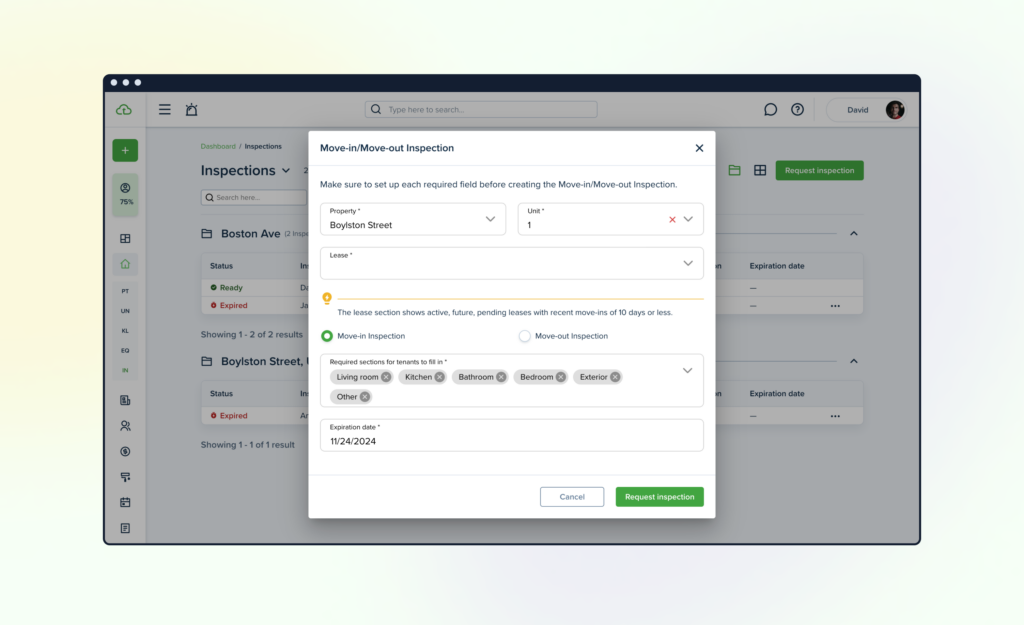
The primary change is that users can finalize lease agreements with an e-signature or by attaching existing documents separately. Additionally, this update ensures that the creation and signing of the agreement, as well as purchasing insurance, will not delay lease activation or the posting of invoices according to lease configurations. As a result: there is no longer an ‘in progress’ lease status. Lease statuses: active, draft, future, past, ended. Agreement status: pending, signed. Insurance status: pending, active. Tenants will no longer be stuck in the onboarding process due to signing agreements or purchasing insurance.
Listings & Ribbons
New ribbons to show off your property’s best features.
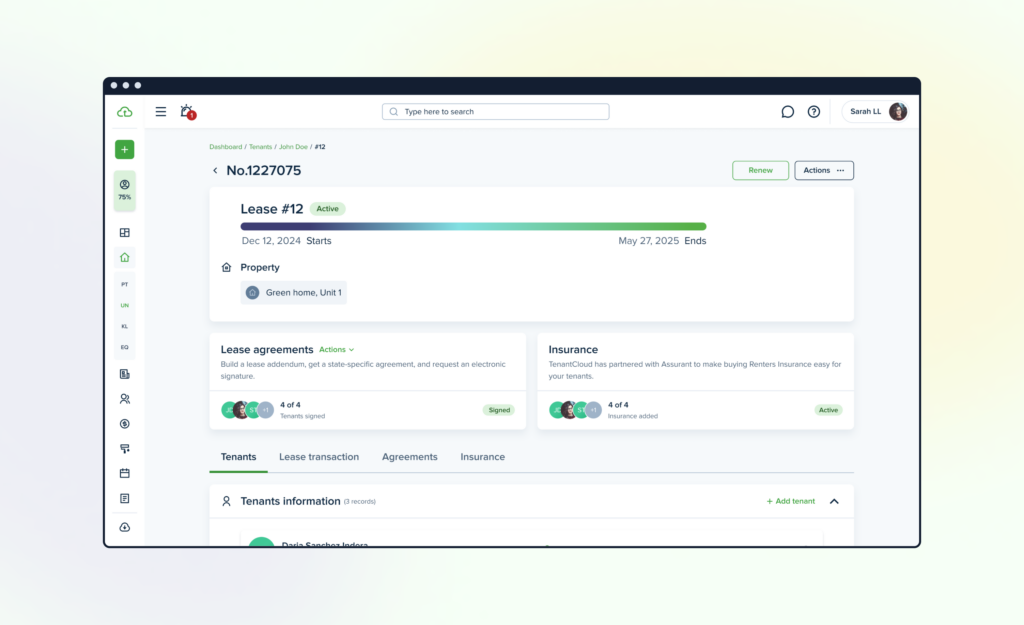
We also released Ribbons for property listings.
Landlords can now add a decorative ribbon on their property listing to showcase their property’s best features. Whether it’s a stunning view, pool, or pet-friendly, a ribbon can help listings stand out from the rest.
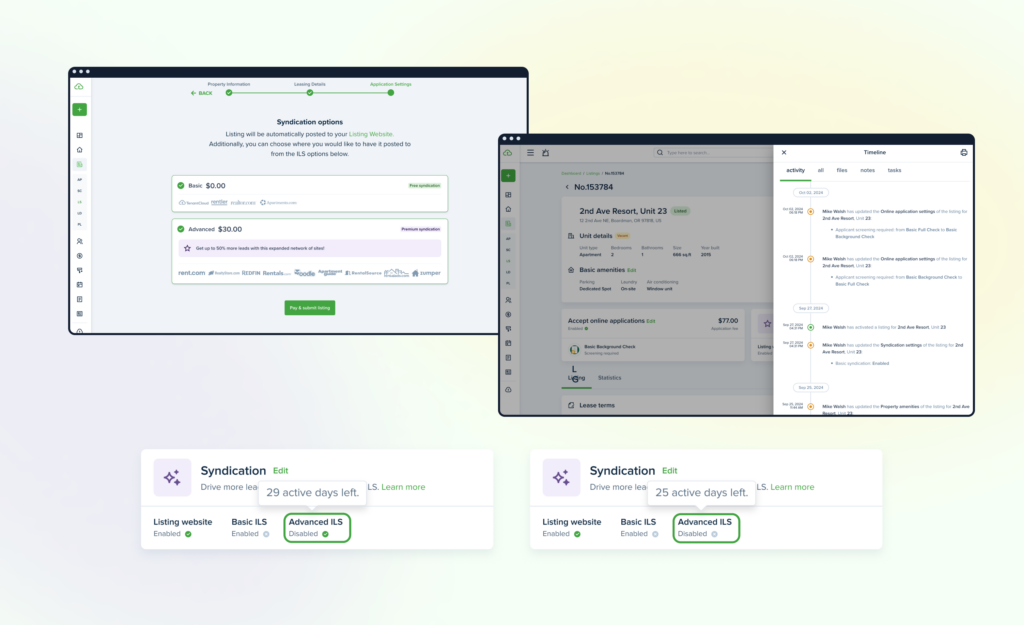
Listings Advanced Syndication
One-click to rule them all to attract up to 50% more potential tenants to your listing.
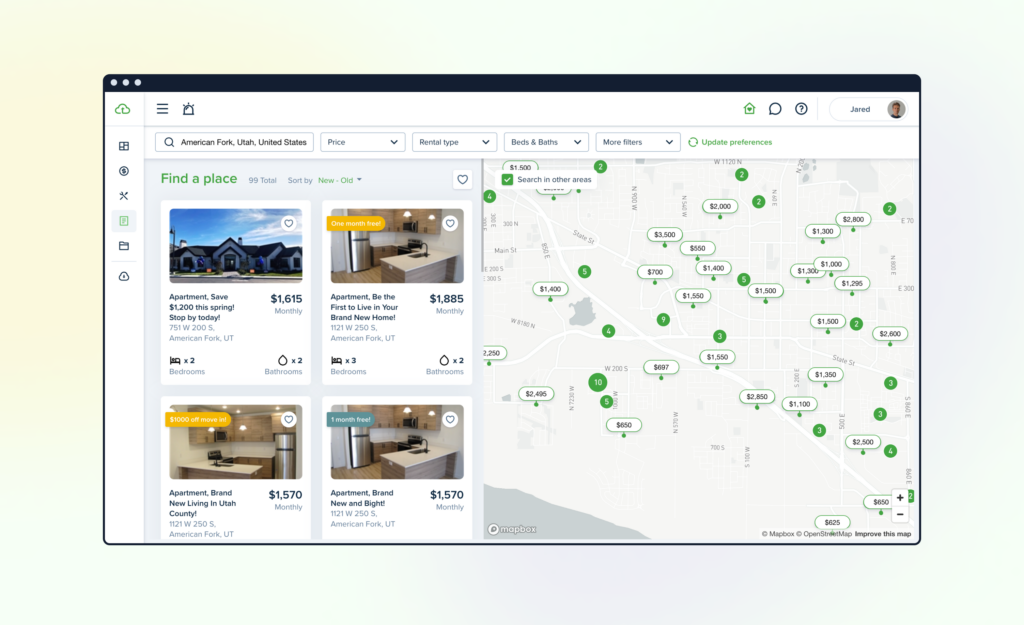
Landlords can now make a one-time payment for 30 days of syndication to top rental sites like Rent.com. After that, you can activate or deactivate listings anytime, with no extra charges. We’ve also revamped the listing process to make it faster and smoother. Plus, a new timeline feature lets you track every action taken on your listings, giving you full visibility and control. Simple, efficient, and hassle-free!
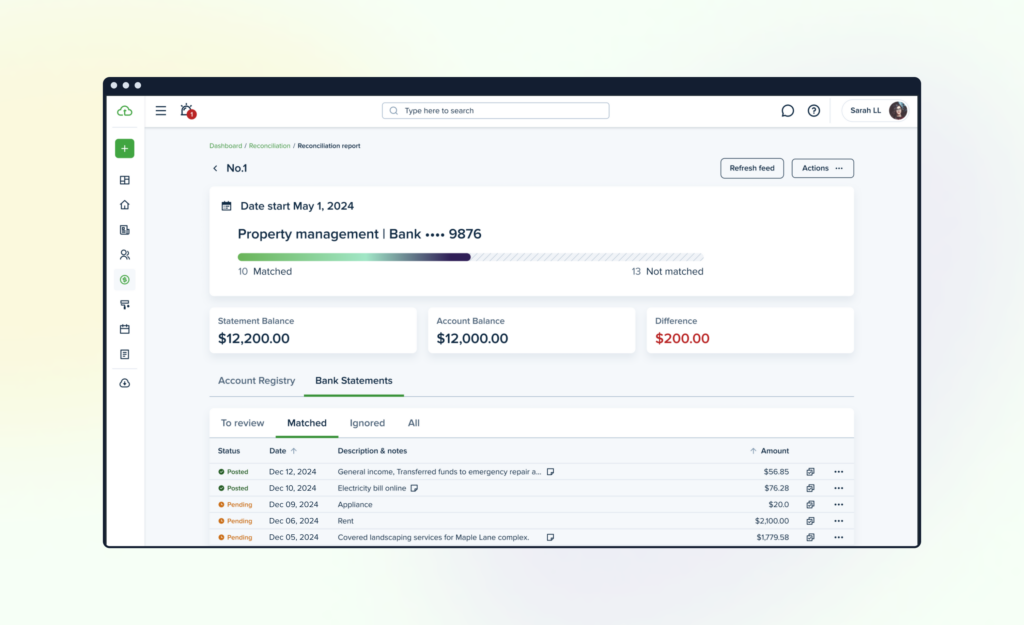
Bank Reconciliation
Keep your financials on point, effortlessly.
Available on Pro Plans and above, our Reconciliation tool helps you quickly spot and fix issues like typos or missing entries. With Reconciliation, your reports stay accurate, saving you time and preventing future headaches caused by discrepancies. All transactions from your bank account will automatically sync with TenantCloud, enabling easy matching with manually entered transactions.
Log in to your TenantCloud account today to try out the Reconciliation feature.
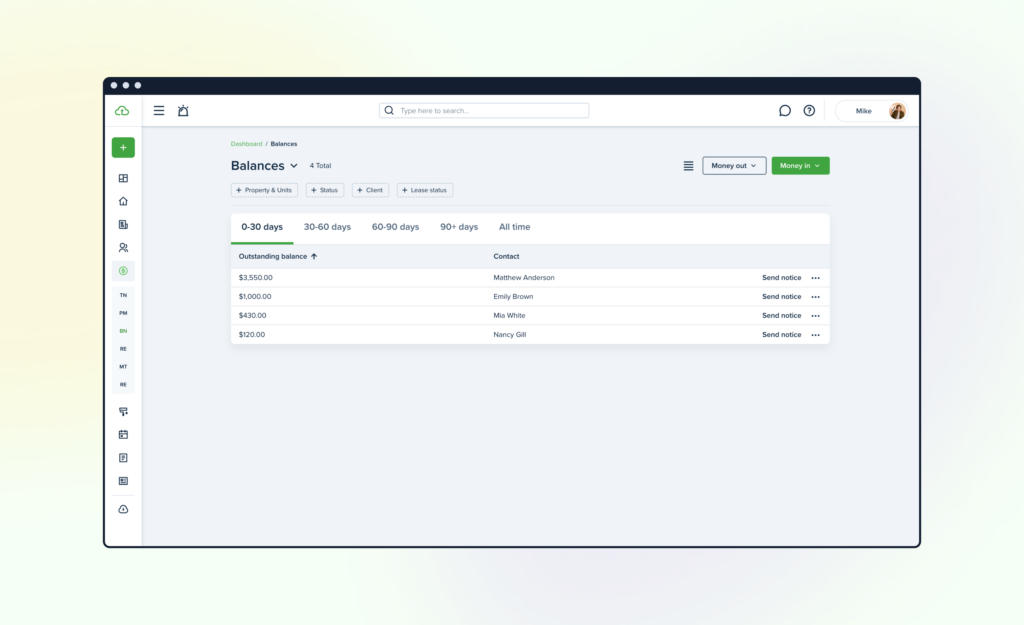
Accounting Improvements
Streamlined reports for faster, easier management.
We’ve also improved the Balances page in our Accounting section- redesigned the layout for better clarity and organization along with the ability to switch between compact or expanded views to suit your preferences, we’ve streamlined actions and improved filters. Plus, the “Send Notice” action is now more prominently displayed on the table.
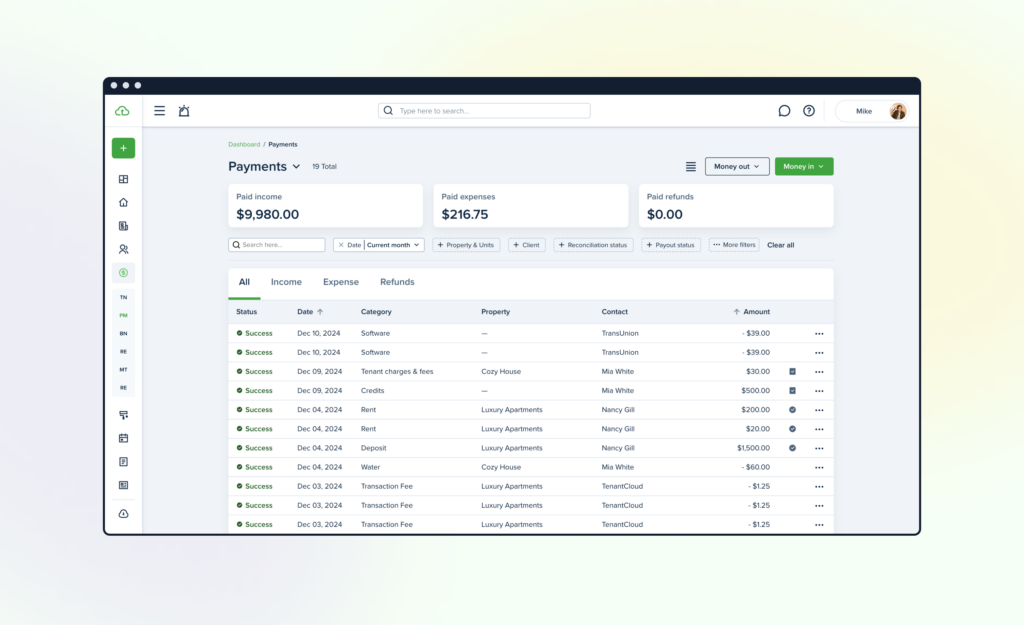
Payments Page Upgrades
The list of actual payment records has been updated. It’s now split into the following tabs: all, income, expense, and refunds. Additional filters have also been added for better navigation and clarity.
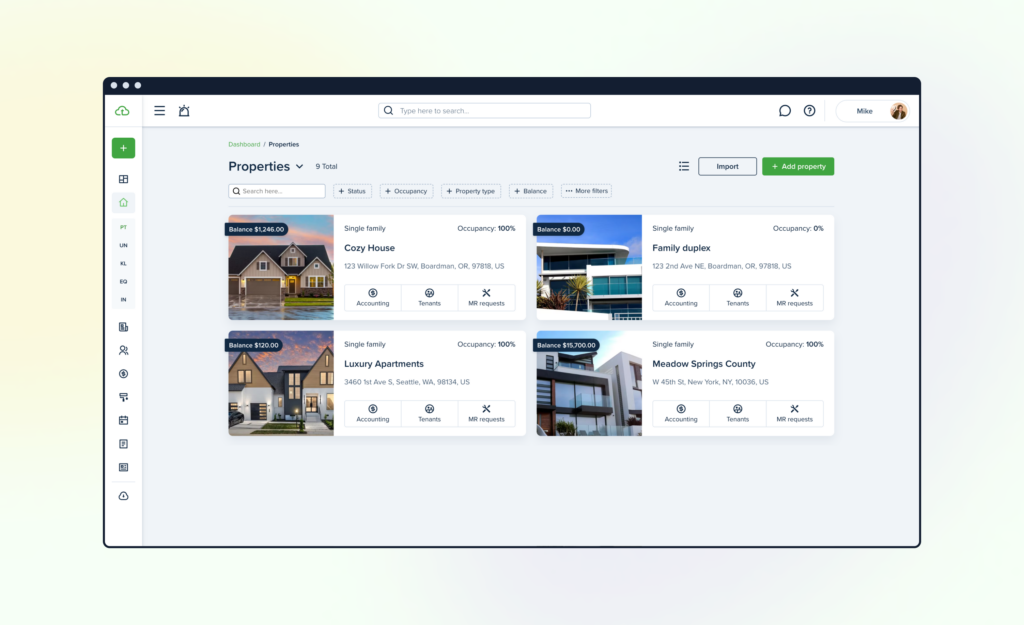
Property List Improvements
The list of properties has been redesigned and improved. Now there are two types of lists available:
Card list & Table list. The list view can be changed at any time, and the last changes will remain saved.
The new view of the property list helps manage the property and its related information more easily and quickly.
Exciting Features Coming in 2025
Listing Website
We will redesign and harmonize the interface of the Listing Website by applying an updated layout and system kit guidelines, specifically tailored to address the requirements of the expanding property management sector.
Improved Financial & Rental Reports
We are redesigning our current reports and introducing new ones to ensure you enjoy the best possible experience.
Stripe Capital
Stripe Capital will soon be available for TenantCloud-connected accounts, offering fast and flexible financing solutions to help you manage cash flow and invest in growth.
AI Adoption
We are thrilled to integrate AI across various aspects of our software, empowering you to benefit from it and enhance your experience. AI will streamline processes, provide smarter insights, and drive greater efficiency for your property management business.
Expansion into the Canadian Market
As we frequently receive requests to expand functionality for our Canadian users, we plan to make TenantCloud even more relevant and accessible to you in 2025. Stay tuned for exciting updates!
Lease Improvements
In 2025, the lease functionality will be a primary focus for us! We will enhance the lease sectional editing and overall lease creation experience, ensuring a more seamless and enjoyable process for you.
Messenger Improvements
We’ve received a lot of feedback about our Messenger feature throughout the year. As we always take your requests into account, we plan to reevaluate its functionality, recognizing that effective communication is crucial to fostering strong business relationships.
Brand New CRM
We’re also excited to launch a brand-new CRM, designed to streamline the user experience with updated view and enhanced functionality. A more intuitive and efficient way to manage customer relationships, ensuring a smoother and more seamless experience.
New Partnerships
Next year, we’re excited to create new partnerships that will drive innovation and bring value to our users. By collaborating with key industry players, we aim to enhance our offerings and deliver even more tailored solutions. Stay tuned for exciting opportunities ahead!
Summing Up
It’s been an incredible year of growth and progress! We’re thrilled about the exciting innovations on the horizon for next year. Thank you for being an integral part of our journey as we continue to make property management easier and more efficient. Together, we’re creating a simpler, more peaceful future for landlords and tenants alike.
Cheers to another year of success with the TenantCloud family!
2023 Year in Review
It’s that time of year again when we look back on our most exciting accomplishments over the past twelve months. Our biggest goals for 2023 were to enhance the user experience, improve our interface, and add new features to make digital property management even more awesome.
As 2023 comes to an end, we’re thrilled to share this year’s highlights:
Dashboard Improvements
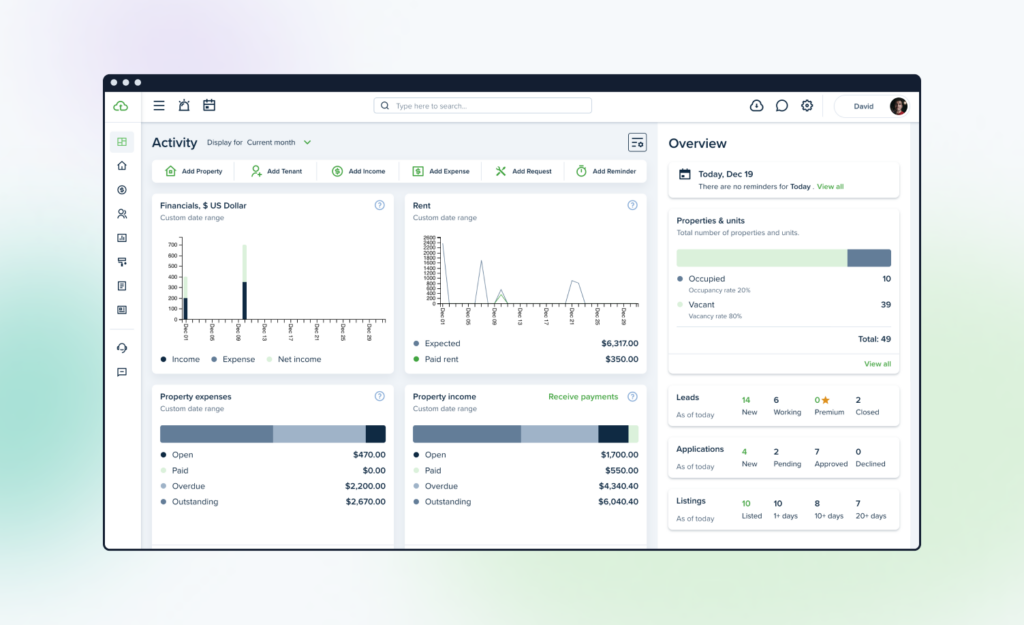
The Landlord Dashboard is now divided into 2 parts: Activity and Overview. You can now customize your dashboard and adjust the widgets to your preference.
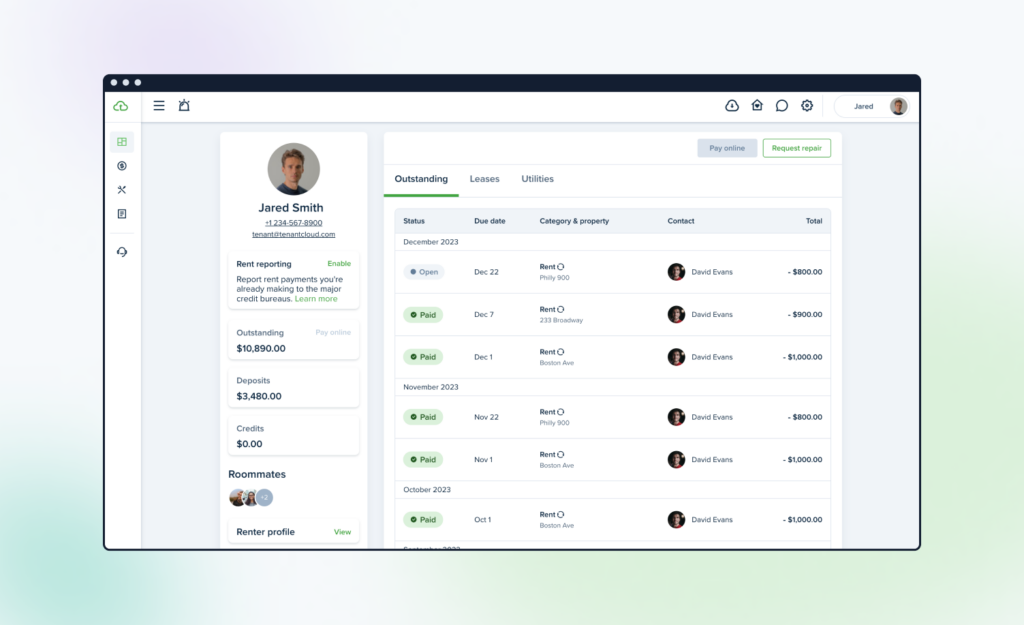
The Tenant Dashboard also received some shiny new updates including a new sidebar, display tabs, and a separate preview page organized by section.
We also redesigned the Service Pro and Owner Dashboards to include new sidebars and display tabs for easier navigation.
Online Application Updates
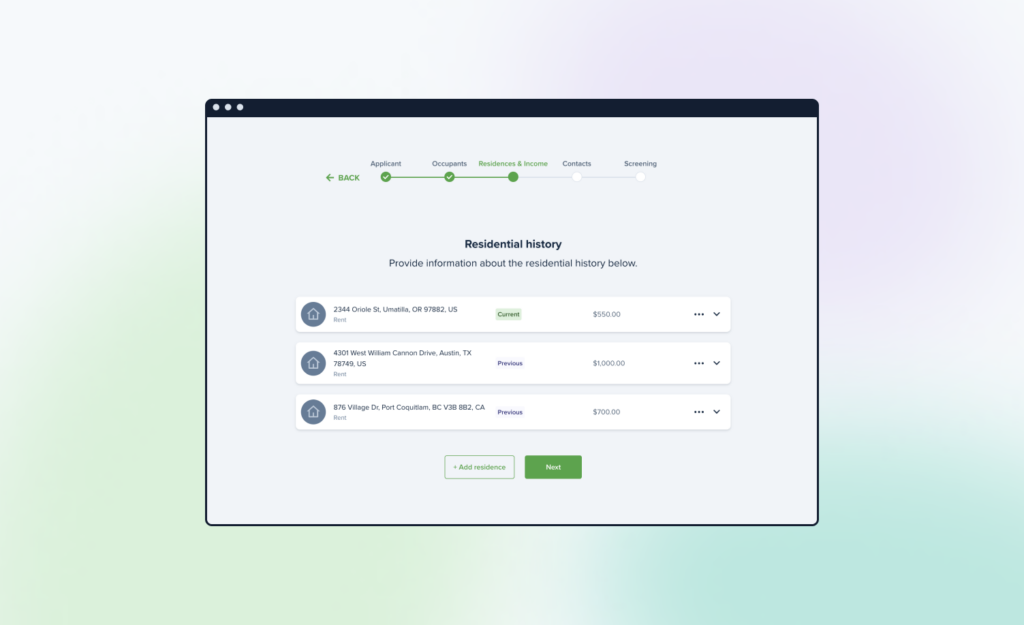
We updated our online application process to be a step-by-step form that better adheres to common application standards. We also included these new enhancements:
- A new interface that makes it easier to edit, add, or review application details
- A draft mode that allows landlords to save unfinished applications
- Landlord and tenant access to saved drafts for up to five days
- The option for tenants to attach relevant documents to their rental application
Rental Application Settings
We simplified the Rental Application settings by separating it into three sections and minimizing the custom template flow.
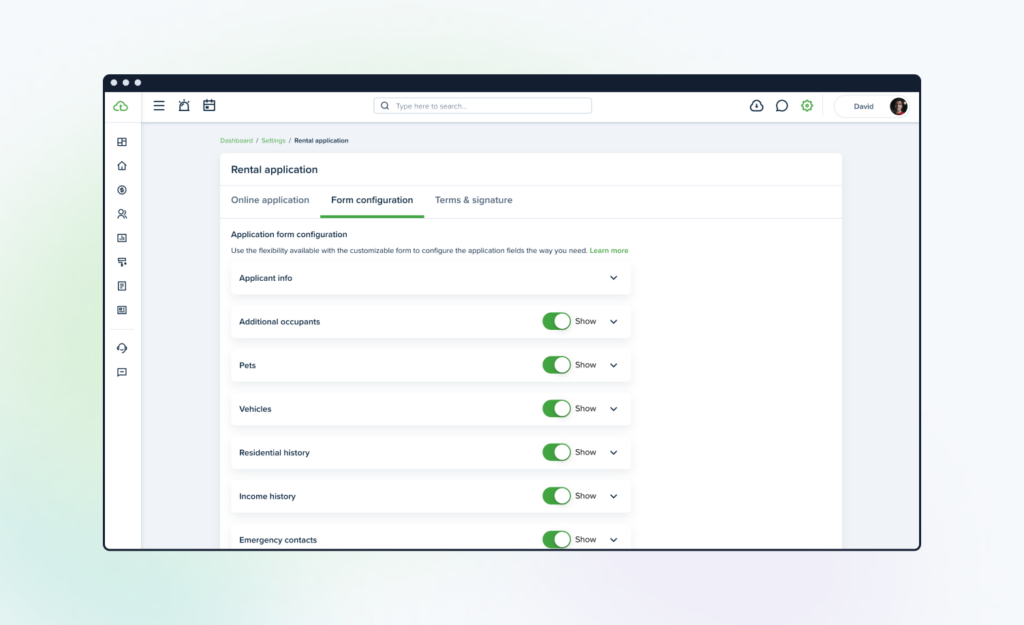
Editing Items
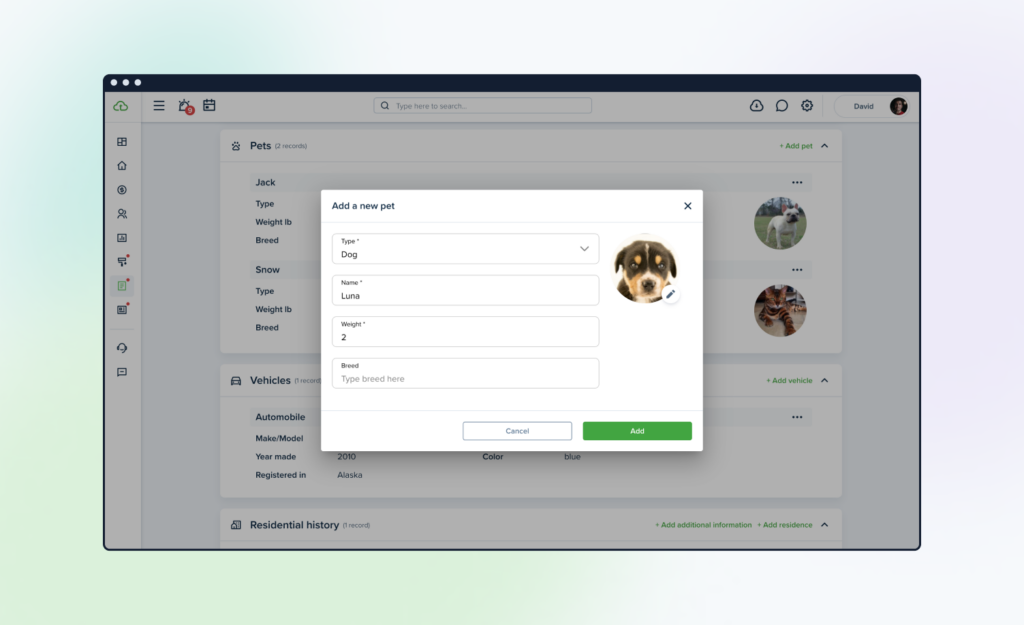
We made it easier to edit your Rental Application Details, whether you’re updating information about occupants, pets, vehicles, etc. With “sectional edit” now enabled, you can edit directly from the Rental Application Details page, saving time while improving your experience.
Tenant Profile Redesign
We redesigned the way Tenant Profiles look under a landlord profile, adding two extra tabs (Applications and Requests). Plus, the Leases tab now makes it easier to navigate to lease information.
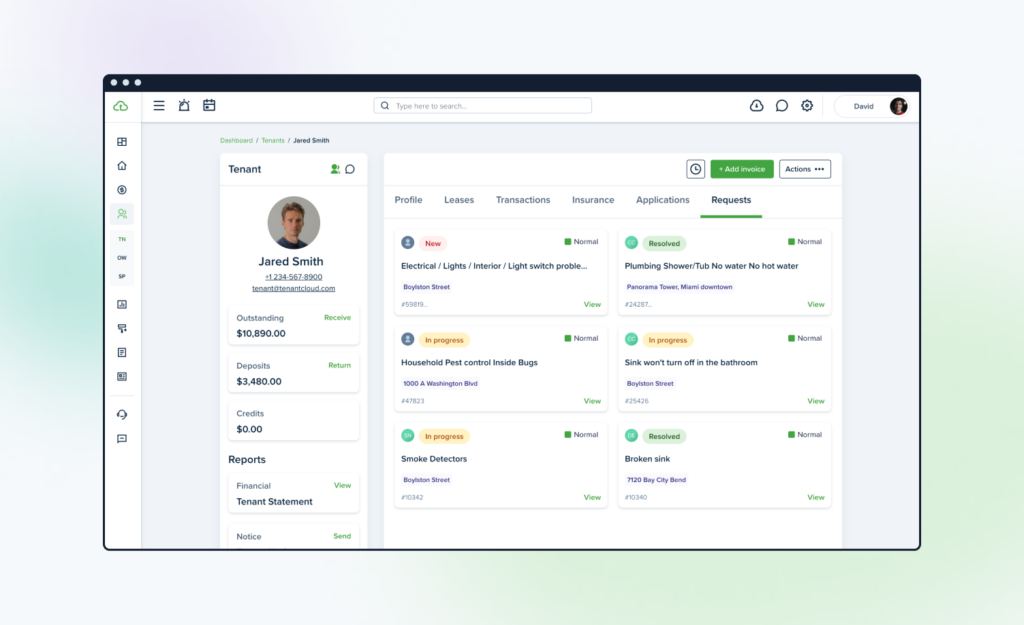
The Service Pro and Owner profiles have also received this redesign.
QuickBooks Online
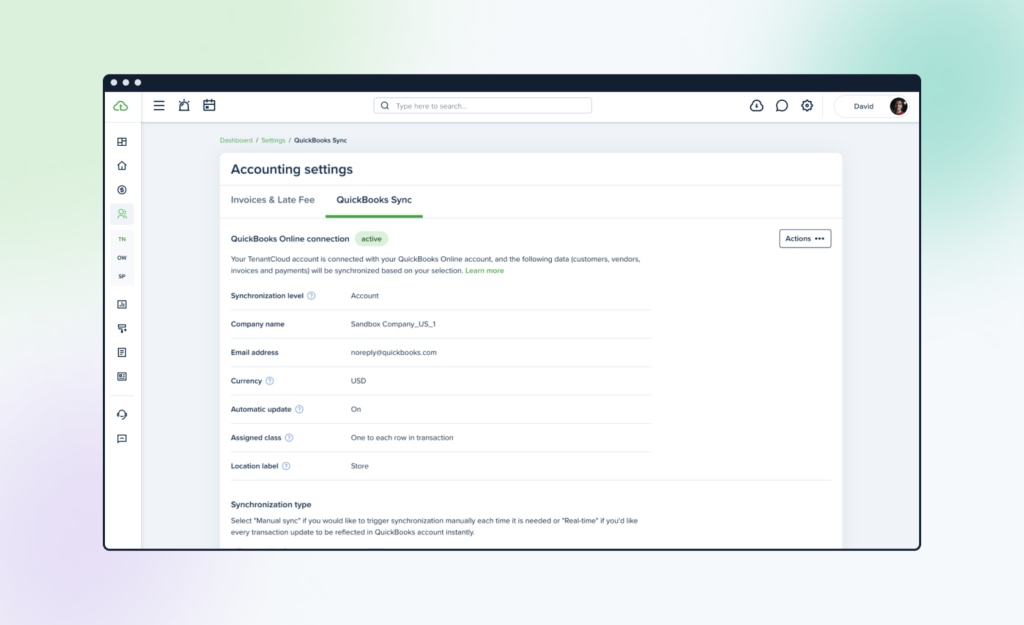
We improved our QuickBooks Online Sync to make it more convenient. We added these new features:
- New and improved user interface
- Ability to edit QuickBooks sync settings at any time
- Added notifications and tooltips to make it more intuitive
- Service Pros are synced as Vendors now
- Sync now available to Canadian users
Calendar Redesign
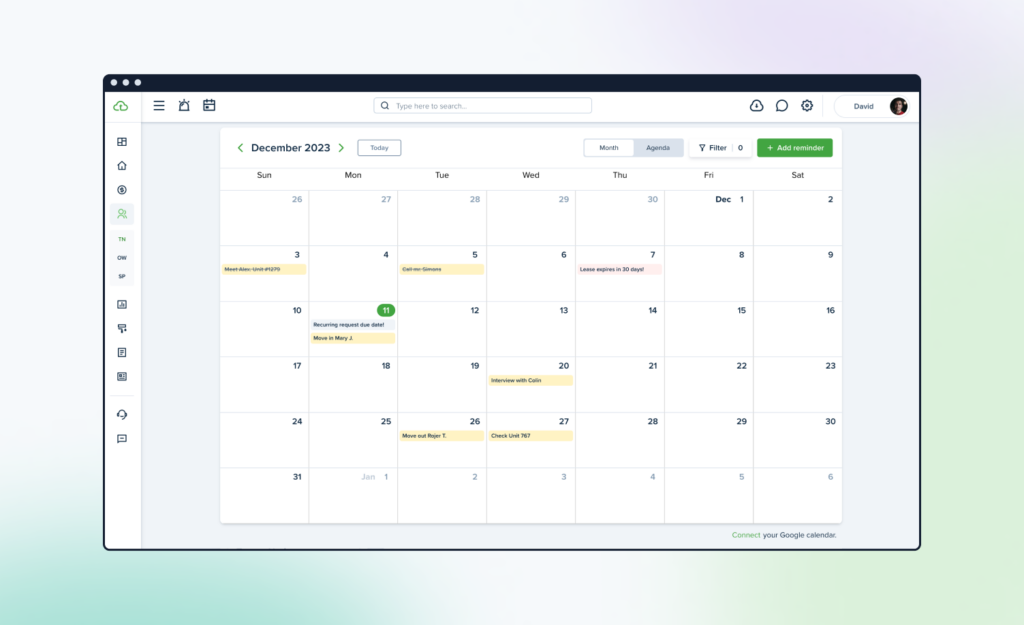
We updated the Calendar page with a new design to improve your experience and included the option to add reminders with a custom title, helping you personalize to your needs. We also added an option to filter calendar events by Property&Units.
Settings Page Redesign
We redesigned the Settings page with a whole new look. We organized everything into grids, making it easy to find what you’re looking for. To make it even more intuitive, we renamed some of the sections to better reflect their purpose.
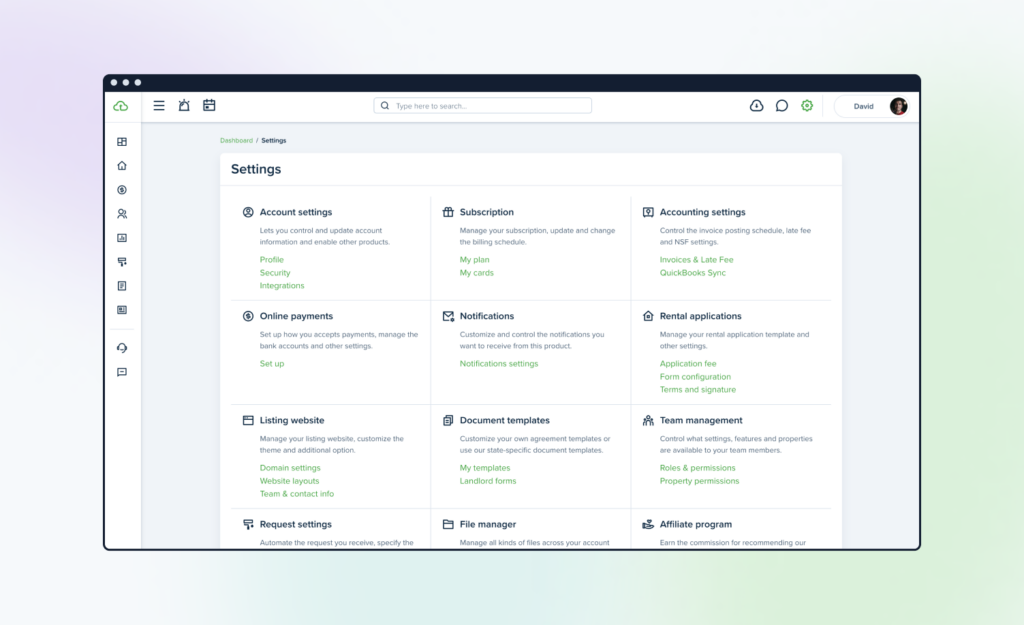
We also moved the profile information, added another account, and log-out buttons to the top right of the page.
Filter Improvements on the Equipment Page
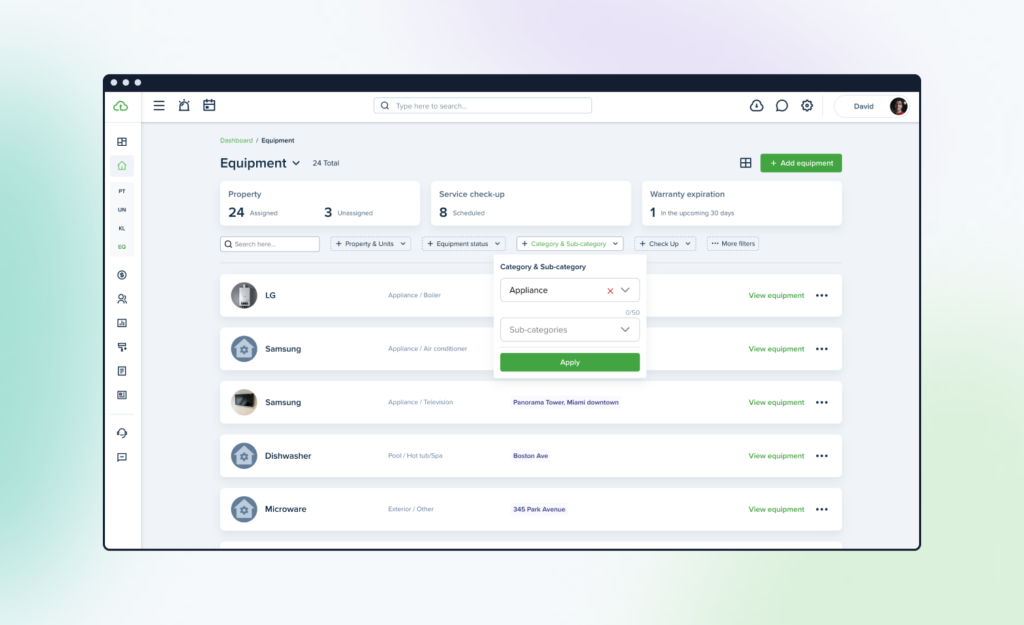
We improved and redesigned filtered searches by moving the filter options onto the Equipment page to help make sorting easier and faster. The save function also keeps filters in place so you won’t have to switch settings next time.
Money In/Money Out Bulk Payments
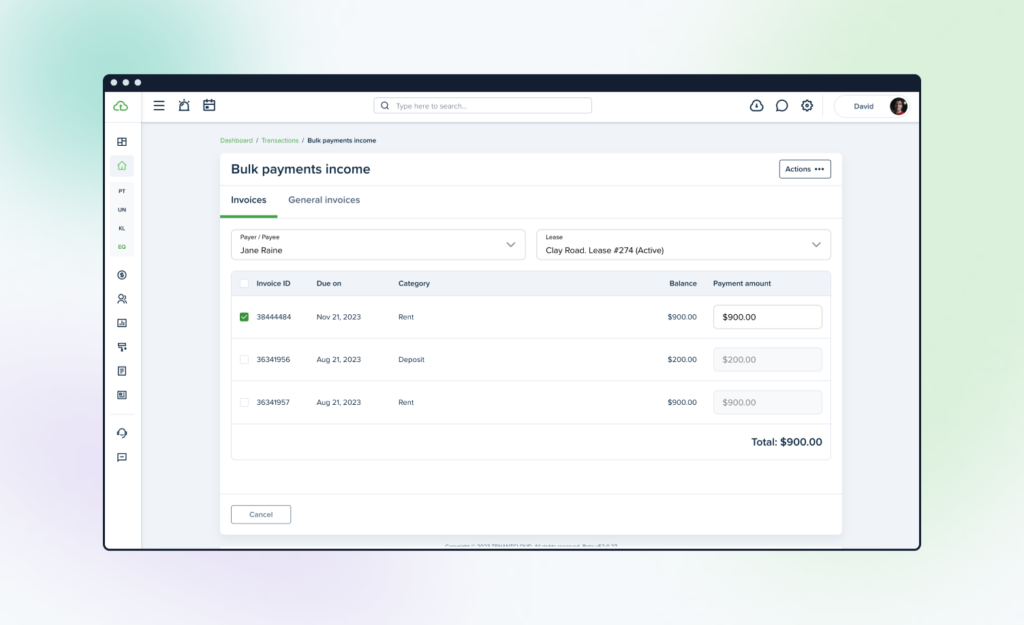
We enhanced the Bulk Payments feature by adding ID numbers to invoices and moving certain actions (such as “mark as paid” or “delete”) to the top right corner of the table.
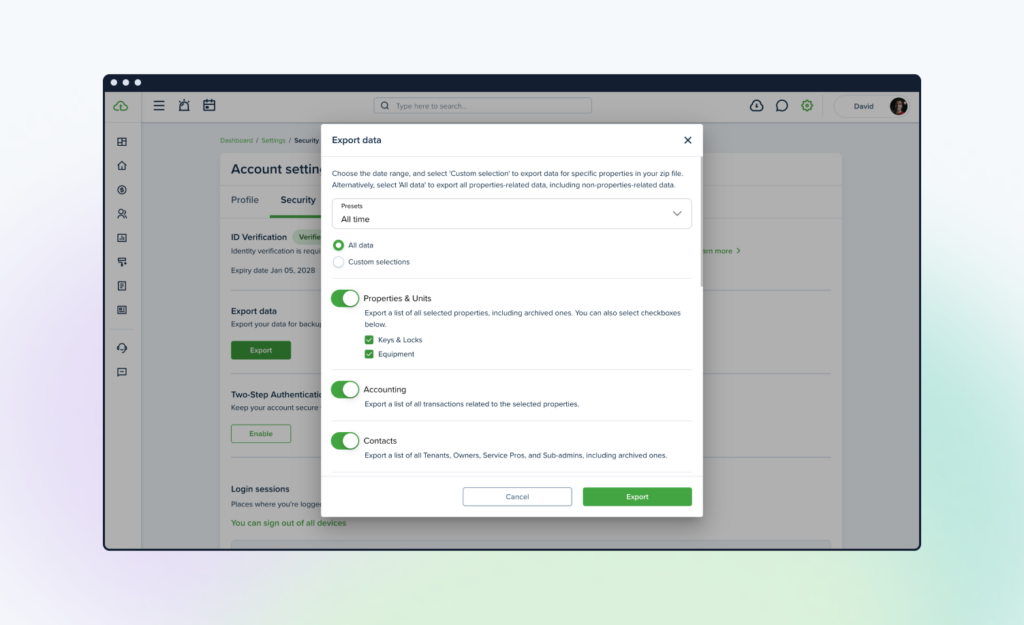
Export
We improved the export feature to be even more efficient. Now, you can easily navigate a list of all exported items. New export items such as leases, leads, and sub-admin contacts were also added.
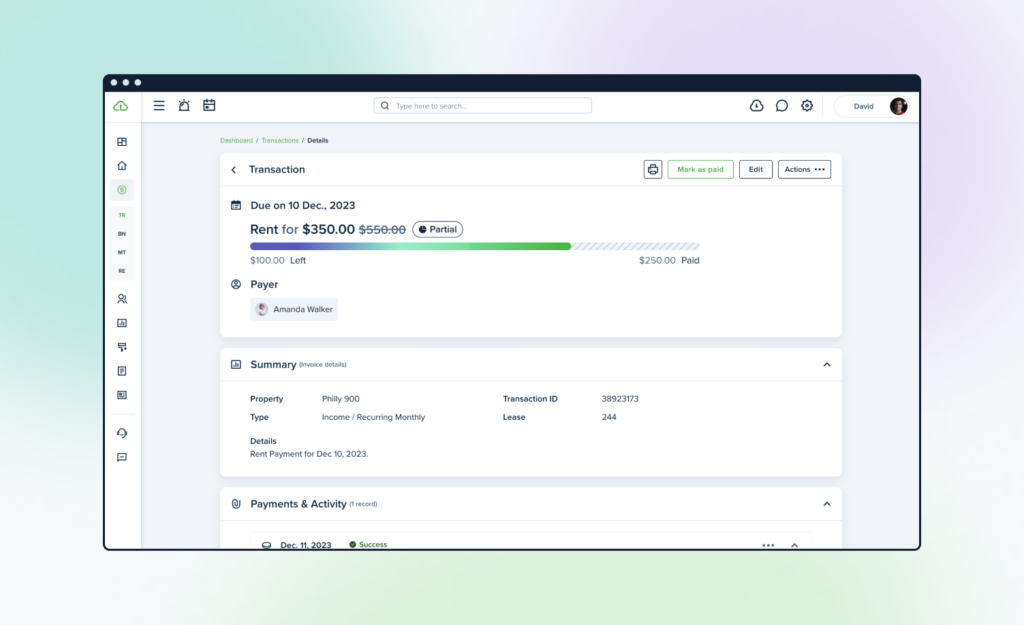
Accounting Displays
We improved the way invoice discounts are displayed. Now, when you preview an invoice, you see both the original amount due and the discounted amount. The original amount will be crossed out, and the tooltip will show the applied discount.
Payout Records Improvement
This new feature is located in the Payments & Activity invoice section and provides a more detailed view of the transfer process, including the payout amount, bank information, and payout status (pending, success, or failed).

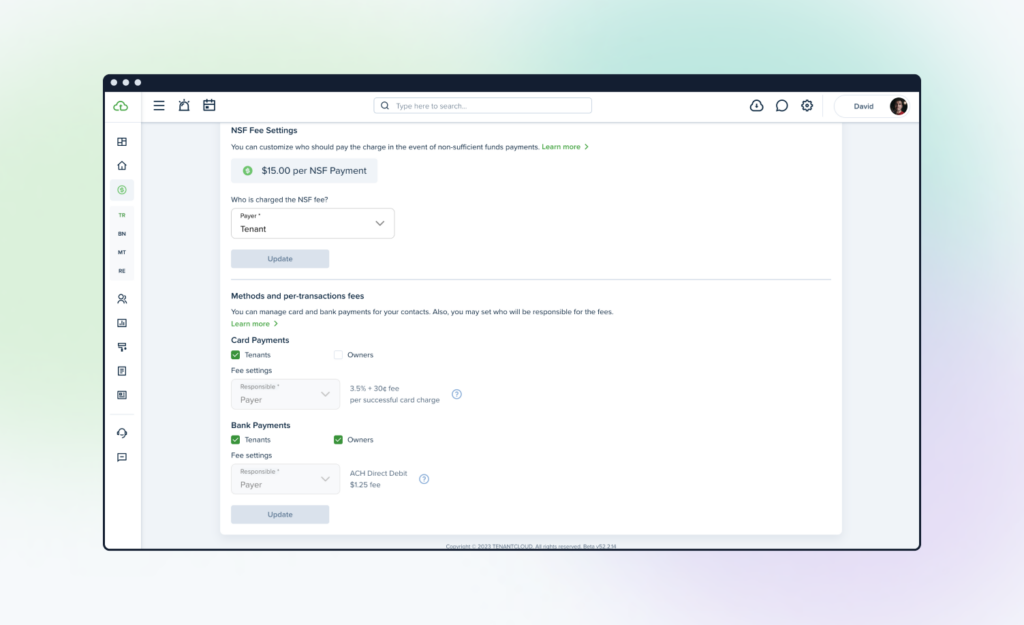
Methods and Per-transaction Fees
In the Methods and per-transaction fees section, we added the ability to enable or block card and bank payments and select by tenants or owner. This feature allows for greater control and flexibility in managing payment methods for tenants and owners.
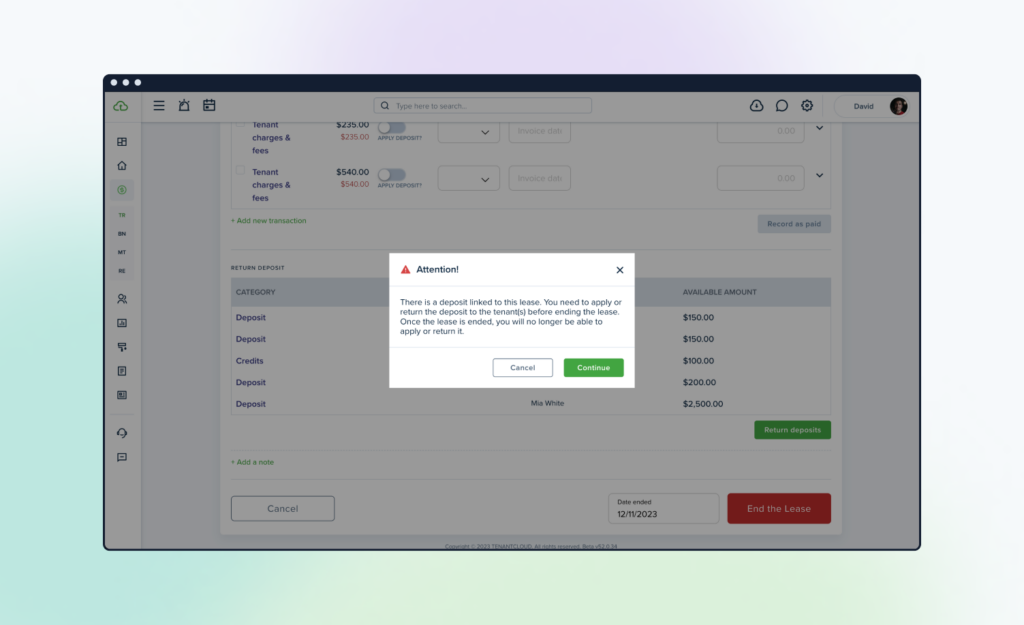
Lease Return deposit
We added a helpful pop-up reminder that appears when you end a lease with an online deposit payment. This pop-up is there to remind you that once the lease ends, you will no longer have the option to credit the tenant with an online refund.
Recurring Requests Improvement
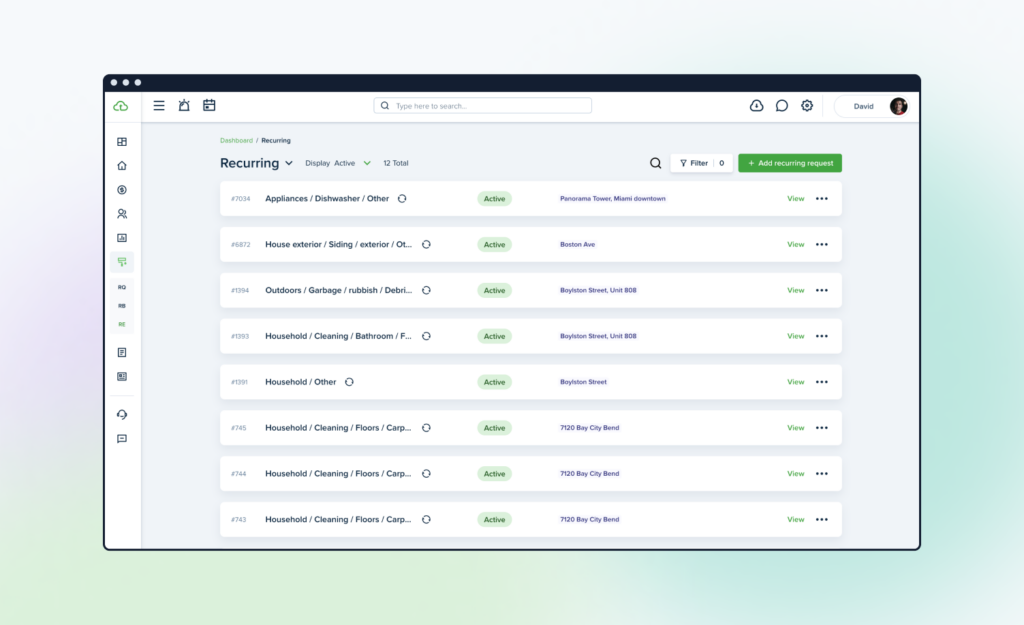
We improved the Recurring Maintenance Requests dashboard, mainly the List and Create pages. You can now cancel recurring requests manually or add an end date. We also included a preview page, future status, and export option.
Owner Approval
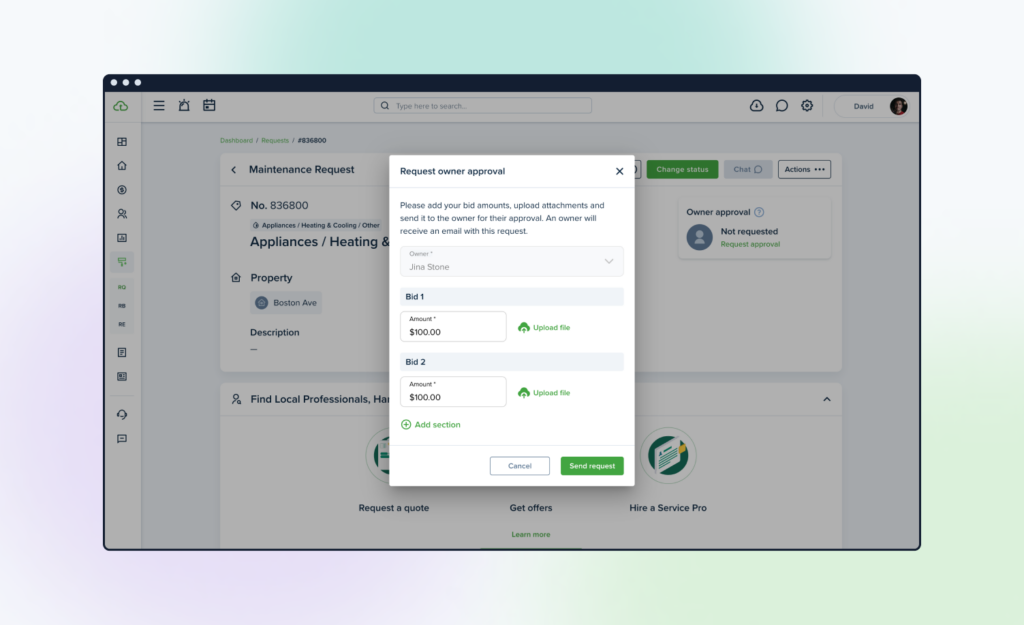
The Owner Approval feature has been improved and redesigned to make the user experience better. Now, you can see the widget with the “Owner approval” request information directly on the Maintenance Requests preview page. (If the Property Manager mode has been selected)
In the Owner dashboard, we added a new widget that tracks requests in a clearer way. We also added request icons, filters, and search functions to improve the owner experience.
Owner Visibility for Recurring Invoices
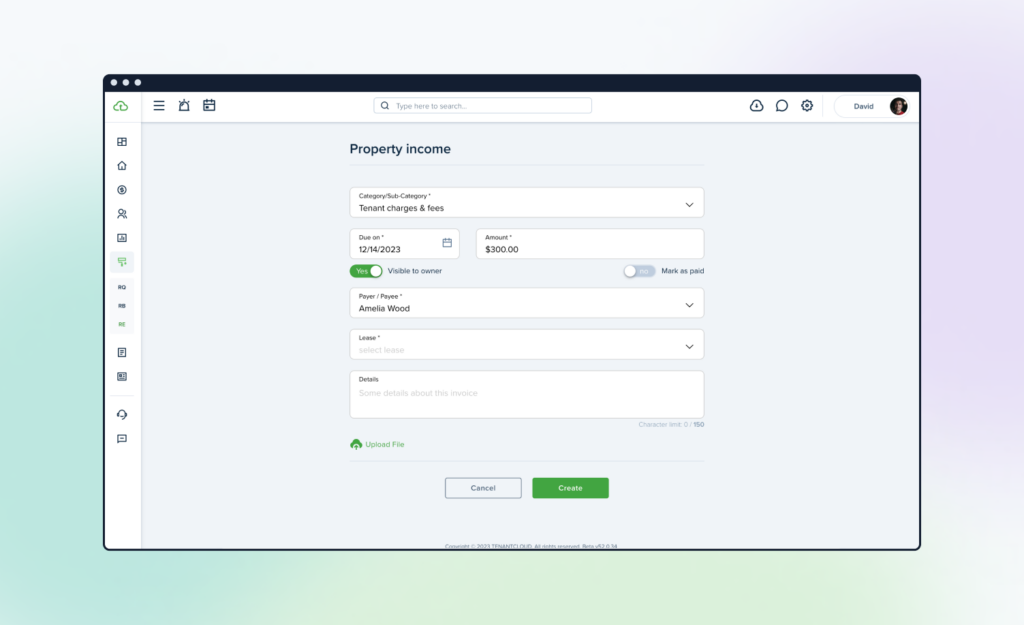
We added the option to make recurring Tenant charges and invoices visible or invisible to owners. By toggling the ‘Visible to owner’ setting on or off, the configuration will apply to all generated recurring invoices, eliminating the need for a manual adjustment each time.
Screening Notification Updates
You asked, we listened. You wanted additional options for screening notifications, and we thought, “What a great idea.” So here it is. Landlords, property managers, and sub-admins can now choose and manage notifications for pending application requests, canceled screening requests, and new screening reports.
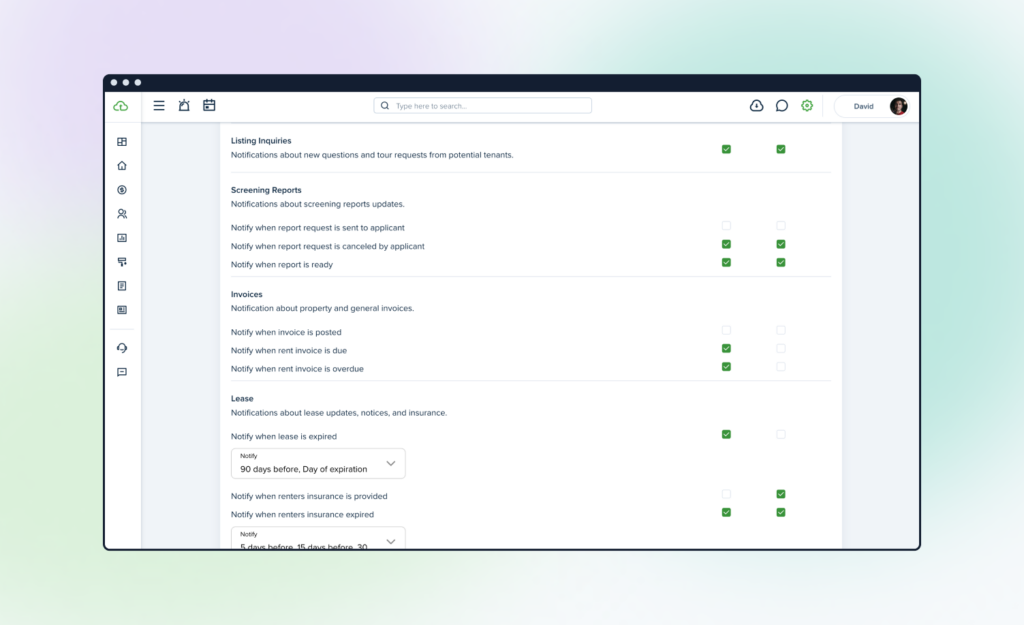
Plus, we added the ability to select a notification frequency to fit your time frame.
Tasks List Page
The Tasks List page has been redesigned and improved so that you can sort your tasks in bulk: resolving, unresolving, or deleting multiple items at once.
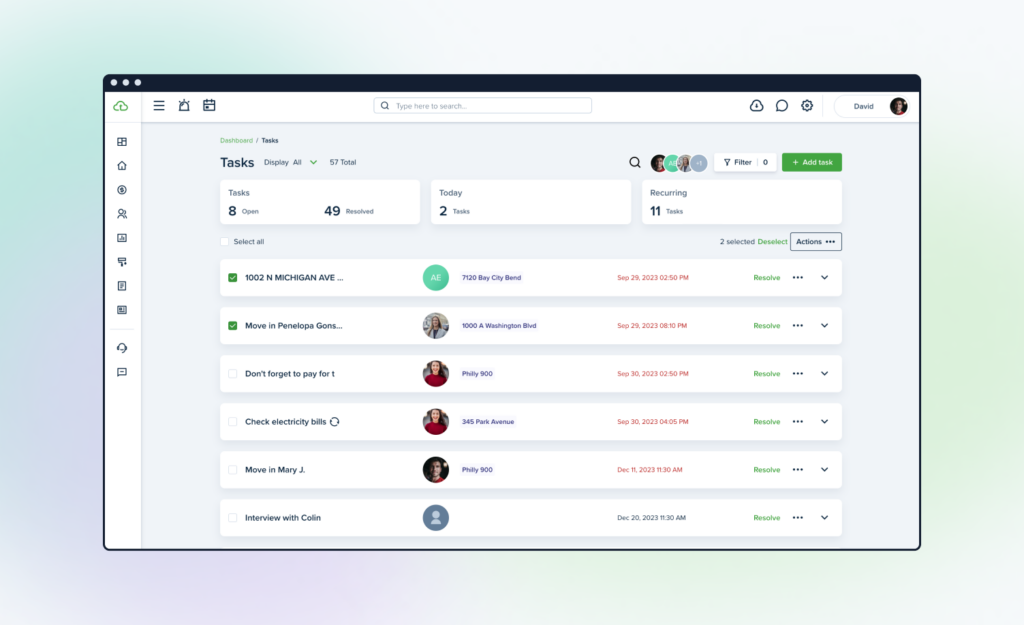
We’ve also added additional filters including the ability to search tasks by title, description, or display.
Product Tour
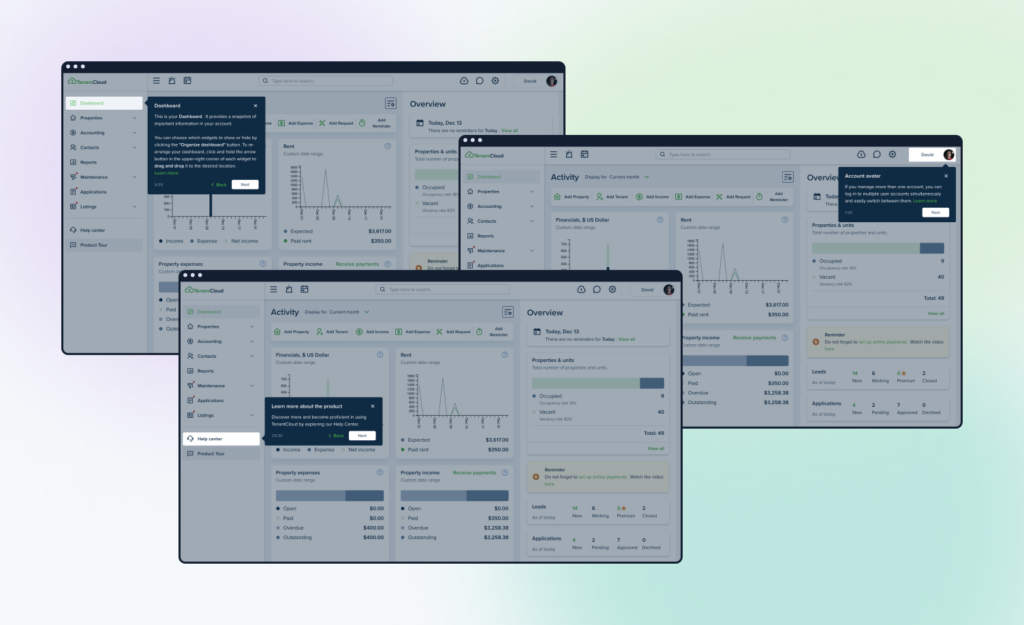
Want to get more familiar with your TenantCloud dashboard? Our product tour is now permanently linked at the bottom of the left-hand navigation menu. If you’d like a walkthrough of each major TenantCloud feature, click on the Product Tour icon and start a new tour or resume your current one at your own pace.
Importing Properties and Contacts
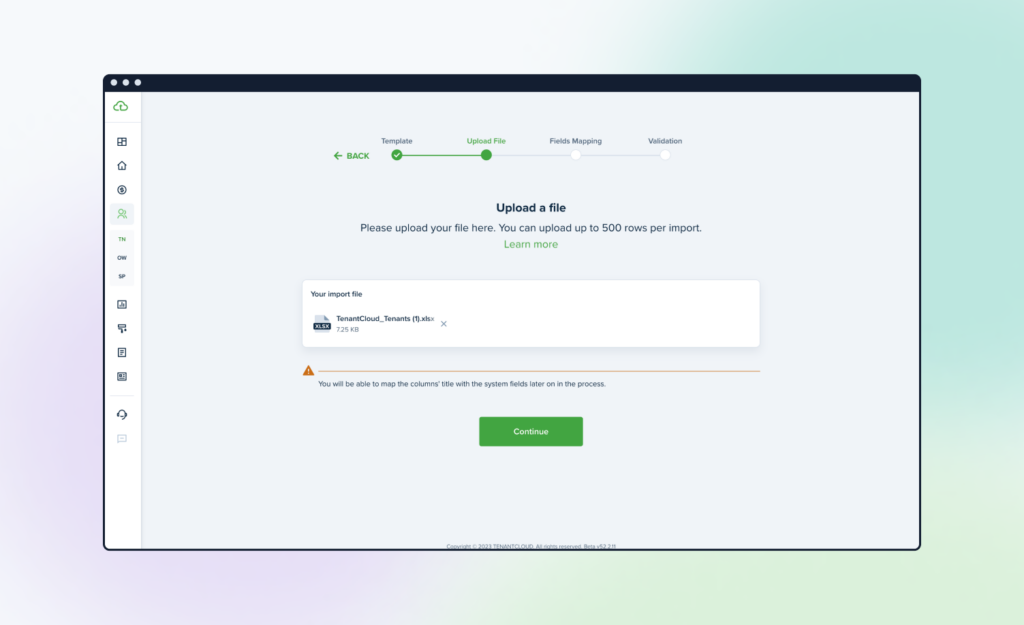
We improved the importing experience (and fixed a few bugs), so now importing properties or contacts using the import tool is much clearer, smoother, and easier. You will now see a step-by-step form that shows where you are in the import/upload process.
Summing Up
It’s been a wonderful year with fantastic improvements. We’re excited for all the innovation that next year will bring. We appreciate working hand in hand with you to create a better property management future together. Here’s to simplifying the process and having peace of mind in the new year!
Thank you for being part of our growing TenantCloud family.
2022 Year in Review
Our 2022 road map was full of exciting features and improvements. To that end, we are pleased to share the results of our efforts throughout the year, which we believe will bring you one step closer to the day when you can relax without worrying about the day-to-day property management tasks because TenantCloud has you covered.
Let’s Get Started With the Brand-New Features:
Rent Reporting to Credit Bureaus
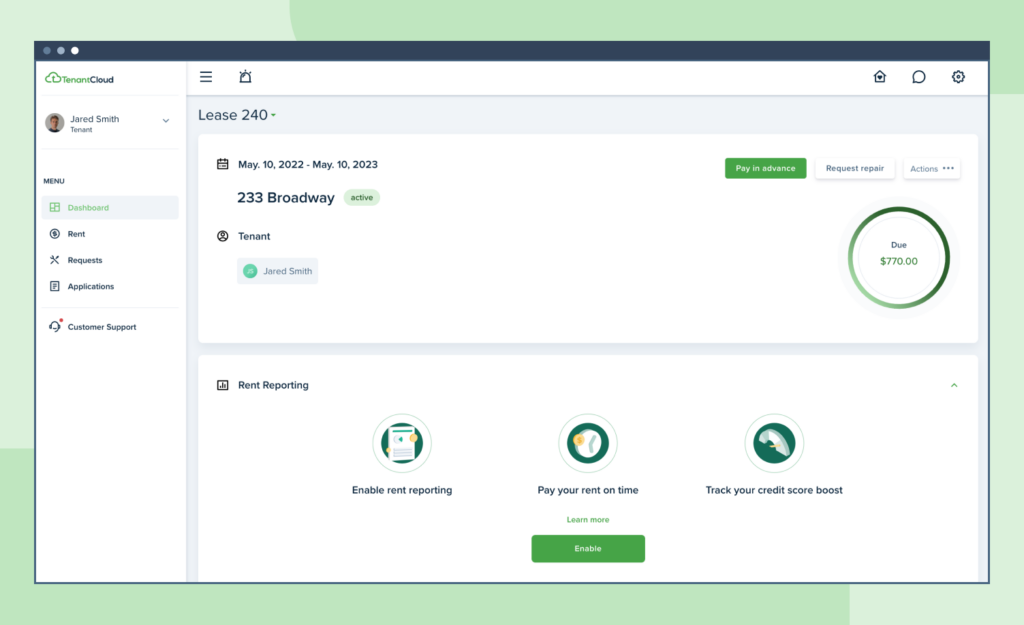
This year, we empowered tenants to have their monthly rent payments reported to TransUnion and Equifax, the two largest credit reporting agencies in the United States, to increase their credit scores when they pay rent. One of the most requested features over the past few years has been rent reporting, and now we can finally support our current users and potential new ones with this feature.
Online Payments
Property managers have always paid close attention to reliable rent collection methods to effectively manage rental properties and stay on top of the financial side of the business. So, when searching for a new online payment processor, we knew we had to choose the best — and we did!
We chose Stripe Connect because it is secure and seamless, with a simple setup procedure and low fees. It is possible to open an Individual or Business account and accept ACH, credit, and debit payments.
Landlord Forms
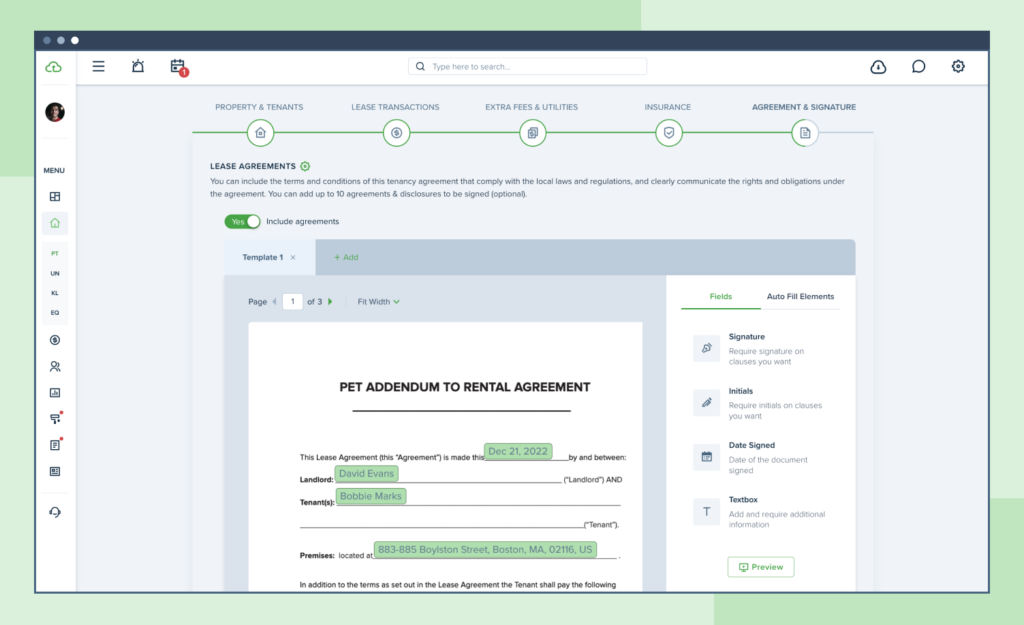
Landlord Forms is an excellent addition to TenantCloud Document Templates. This year, we added ten documents for all states and five for Utah. Landlords and property managers can save time on paperwork by using perfectly organized templates created by professionals.
Team Management Upgrade
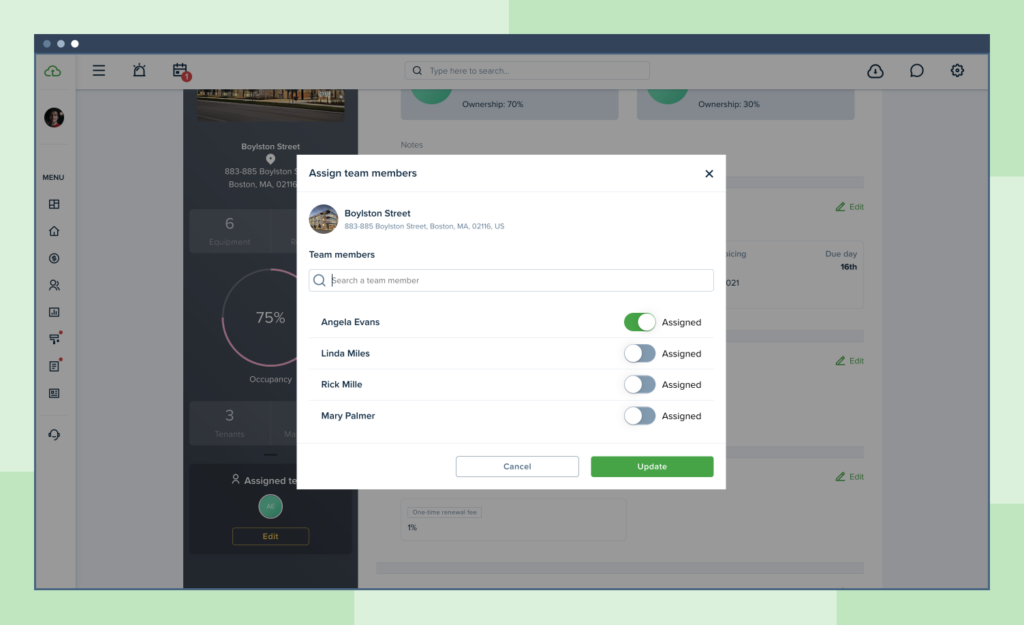
We’ve added another upgrade for property managers with a team and multiple properties in their portfolio: the ability to assign properties to sub-admins so that specific permissions are provided to a specific team member, and only they can see the information regarding the property they are assigned to.
Notification Center
Users can now manage system-wide email, feed, and push notifications from the Notification Center. Specifically, you can now modify the alerts you receive to better suit your needs.
Bidding Functionality
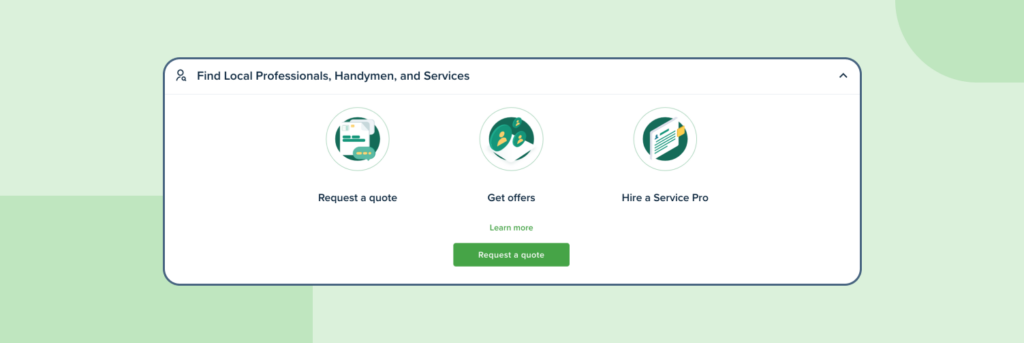
Landlords can now find and hire service professionals for maintenance requests within the system. Service professionals must be based in the US, verify their identity, activate their public business profile, and select the services they offer so that the system can match them with a potential landlord. Once they enter a ZIP code, the search will look for jobs that match their criteria within a 60-mile radius.
Landlords and property managers now have a way to contact prospective tenants without first having to establish a connection. TenantCloud’s Messenger Leads Channel allows you to text message leads and follow up with them.
Some Product Improvements:
Improved UX/UI on the Equipment Page
Our newest layout has been implemented in the Equipment page’s UX/UI. Equipment can be created by landlords without the selection of a property and then assigned when necessary. The Preview page now allows for the scheduling of periodic inspections. To ensure uniformity with the maintenance reminders section, we’ve automated the filling of the category and sub-category fields and added a “Post in advance” field.
New Map & Listings Search
The map has a new fresh look. New listing cards & list, view page, etc. have also been added to our list of user interface upgrades.
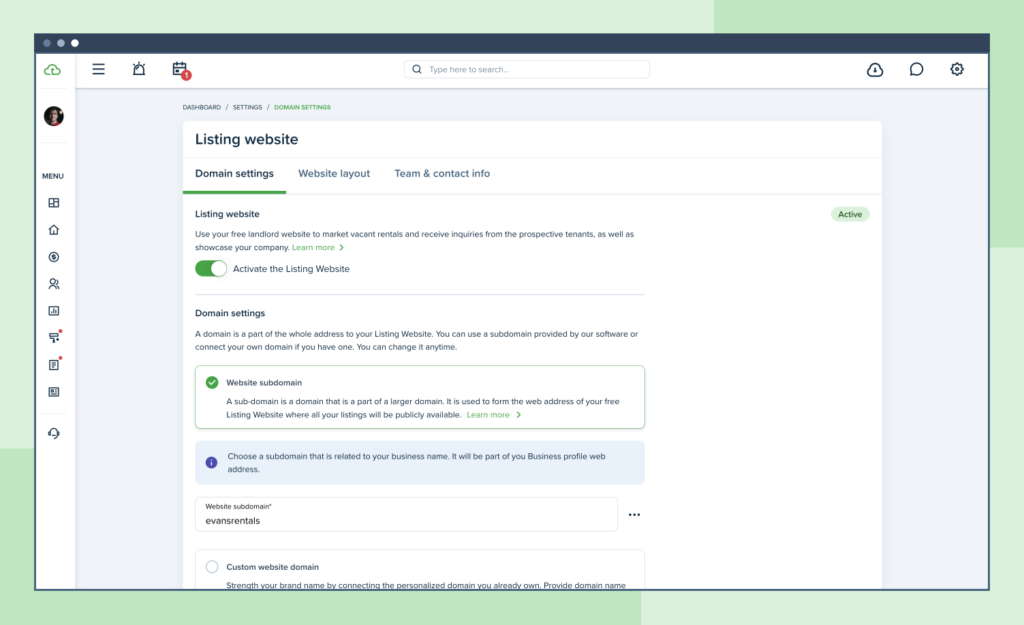
Listing Website Settings Redesign
We’ve reorganized the Listing Website Settings page into three tabs: Domain Settings, Website Layout, and Team & Contact Info.
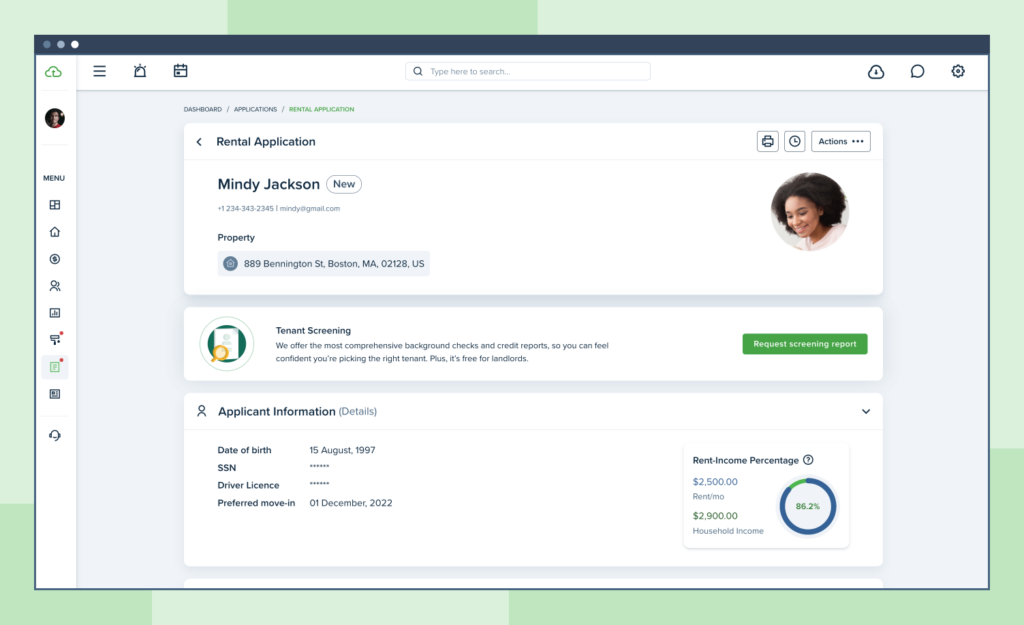
Rental Application Redesign
We have redesigned the Rental Application view page. In addition to its new look, we’ve made some minor improvements to better interact with the application flow.
Maintenance Request Auto-assign & Re-assign
We now allow landlords/property managers to choose the default assignee for maintenance requests. In addition, the option “Auto assigning to maintenance requests” has been added to the Maintenance Request settings.
The ability to re-assign maintenance requests has also been enhanced: landlords/property managers can do so in any status (except Archived).
Maintenance Requests Attachments
Updates have also been made to the Maintenance Requests Attachments section. Besides audio and video, you may also upload a document to help illustrate the problem.
Recurring Maintenance Requests Redesign
In the Maintenance section, the Recurring page lets you set up routine requests for service. Property owners and managers will appreciate being able to plan maintenance requests, add necessary details, and monitor their status.
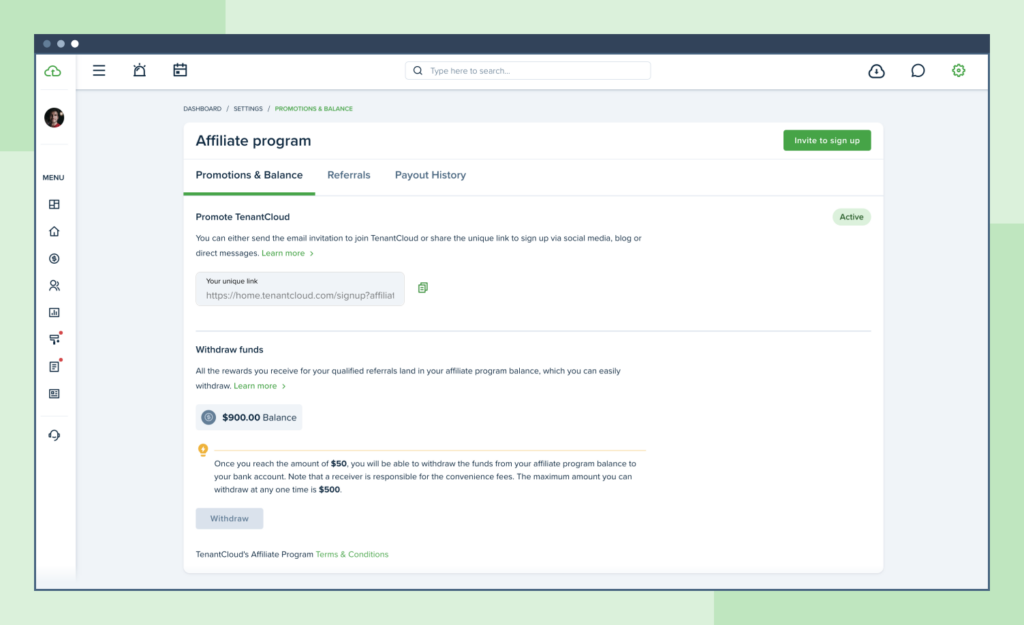
Affiliate Settings Redesign
We’ve updated the user interface for the Affiliate Program Settings page and made the Affiliate Program available to service professionals as well. As a result, landlords/property managers may send affiliate links not only to landlords but also to service professionals (and vice versa).
Keys & Locks Page Improvements
The Keys & Locks page has been updated and is now more easily accessible. Landlords/property managers can sort keys by property using swimlanes for assigned keys.
Final Thoughts
TenantCloud’s successes throughout the year were highlighted in the Year in Review, as were the members of our community whose property management was aided by our software. TenantCloud’s services will continue to help landlords and property managers of all sizes, from small single-family homes to large corporations.
We appreciate you for being a part of our community, and we were honored to be with you every step of the way. As we approach the beginning of a new year, we look forward to implementing even more features and tools for our property management software. Stay tuned because 2023 will bring new tools and features to continue to help you succeed.
2021 Year in Review
Here at TenantCloud we’ve developed an annual tradition of sharing our year-end results. It’s not only about product functionality itself, it’s more how we respond to your needs and adjust to the global changes.
This year was no exception! We set goals, tried our best, faced challenges, improved features, reconsidered decisions, and tried again. We constantly raised questions – “What’s missing here? How can we make things better? Is there anything we can do to solve this problem? Is this really a problem? What is the best solution?”
You get the point.
We’ve come up with one fundamental truth in the context of property management:
What matters for landlords is their business.
What matters for tenants is their home.
Consequently, we’ve been putting effort into combining the notions of business and home (i.e. work and life) and trying to find a balance without neglecting the importance of any of the two concepts. Fortunately, the partnership with Rentler has allowed us to broaden our possibilities, remain an all-in-one software for everyone involved in the industry, and keep up the good work.
If we were asked to describe 2021 in only one sentence, it would probably be: It was a never-ending journey of improvement and figuring out what is best for our customers.
Related: TenantCloud Premium Leads Feature: New Free Property Management Solution
Transparency and being open to improvements is what makes us better, and we’re excited to share the features we’ve implemented & upgraded in 2021.
Overall, we’ve been concentrating on two main tasks:
- Make our product more intuitive, more user-friendly and at the same time aesthetically pleasing.
- Develop brand new features that will benefit our users in either managing rentals or finding their new home.
Now let’s take a closer look at what we’ve managed to achieve:
Dashboard & Related Upgrades
- Multiple Accounts
We know that having to switch between multiple accounts can be frustrating. To make this less troublesome, we’ve added the multiple accounts functionality for those who manage a few accounts within the system. No more constant logging in/logging out.
- New Design of Tenant Dashboard & Calendar Design
The improvements to the Tenant Dashboard have made it possible to pay rent right away from the dashboard and view leases along with their status from the dropdown menu. It saves time when double checking any lease details.
On the tenant’s side, there’s a new flow on the lease signing and insurance steps.
In addition, events in the landlord’s Calendar can now be easily navigated due to the new design. Information about lease expiration dates, reminders, insurance, and more is all easily accessible in the Calendar.
- New Design of Dashboard Navigation & App Menu Design
Dashboard Navigation is a step forward in TenantCloud’s design goals to create a better user experience and make routine tasks more simple. In the future, we plan to also add a dark mode, allowing users to switch between light and dark modes. The app for landlords and property managers also got a completely new look and improved its functionality so that you can spend less time looking for updates and make changes on the go.
Related: TenantCloud ServicePro Business Profile: Top 3 Reasons To Create It
Settings
- Global Changes
The settings section is slowly turning into a more optimized place for the global rules and regulations on how you want the things to work for your business. Easily update, keep track and adjust the settings for each section of your account.
- Keys & Locks Page
The list of property keys was moved from “Settings” to the “Properties” section. Keys are now on a separate page divided by each property, so you can find and reassign them faster.
Maintenance Management
- New Design of Maintenance Requests & Maintenance Requests List
The maintenance requests management experience has been improved dramatically. We have rethought the way landlords troubleshoot issues submitted by tenants and have included more visuals.
Also, requests were regrouped to create better usability to allow for more efficient problem solving. Lists of requests, with detailed view and request preview and board create a unique experience tailored to each landlord’s individual process.
- Leave a Review
The Rate & Review feature allows landlords to leave reviews for Service Pros’ completed work requests. This will increase credibility with service professionals and provide a better overview of their business portfolios.
Listings & Leads
- All-New Listing Wizard, Listing Website, and Listing View Page
This year we’ve made a big update to listings with a new listing website, an improved listing view page, and a more efficient way to create listings.
The listing wizard is designed to allow you to create organized listings including all necessary information by following a simple step-by-step flow. We made sure that no detail was missed.
Once a listing is created, you can view it on the upgraded listing website where you can view all vacancies. The enhanced structure and design of the new listing website allows for optimized performance. Tenants can easily submit an application, schedule a showing or send questions.
- Premium Leads
Thanks to the Premium Leads feature, you can fill vacancies faster with no extra effort. Every landlord gets a free lead to try out the new feature. With a huge base of tenants that are looking for a new home, we can more accurately match a prospective tenant’s search preferences with vacant listings.
Lease & Accounting Improvements
- Ability to Autopay Rent Invoice Daily, Weekly, or Any Other Frequency
During the move-in process, there’s an option to schedule invoices on a weekly basis, so your tenants can also set up auto-pay with weekly (or any other) frequency on their end if this has been previously set up.
- Return and Apply Deposit
You can record accepted deposits and track overpayment online at TenantCloud as well as return deposits and mark them as returned. The system keeps track of all records and balances so that with a few clicks you can apply balances to open invoices or return them.
- Default Signatures on Document Builder
We now have a new tool for building and reusing document templates. We’ve created a new toggle for “Default Signatures,” which allows you to automatically assign signatures/date signed elements at the bottom of an agreement for all tenants you are about to move in.
- Text/PDF Editor on Send Notices Flow
With our two document builder editors you can now drag the text boxes for signature/initials/date signed and assign the notices clauses for tenants to sign and/or provide needed information, making creating templates easier.
Also, using the PDF editor saves time by optimizing the move in process, making sending notices and creating owner agreements simple and quick.
Brand New Features
With the help of the 1099 Tax form, landlords and property managers can simplify the process of reporting non-employment expenses to the IRS. The system does all the work for you and can calculate the total amounts or allow you to edit if needed.
Related: TenantCloud Real Estate Property Management Software Tools: 1099 Tax Form, Financial Reporting
- Interacting with Potential Tenants Has Become Easier
From now on, you can find tenants more efficiently. Tenants are able to search for vacant rentals based on their preferences, optimizing the search process.
In addition, communication between landlords and prospective renters is now more convenient due to the new messaging capabilities. You can easily communicate with prospective tenants in a new Leads channel within the messenger. No need to send out multiple emails as all the communication is now grouped in individual chats.
- Renter Profile
Potential tenants can now have a Renter Profile that shows their listing preferences and invites landlords to communicate and interact with them to share available listings that match their preferences.
Final Words
We’re looking forward to implementing our plans for the upcoming year and improving the current functionality to deliver the best possible service. There are even more exciting things on our roadmap for 2022- so stay tuned!
More is yet to come!
2020 Year in Review
During this uneasy year, the TenantCloud Team has been implementing new features, improving the current ones, and trying to remain one of the leading online services for rental management.
So instead of focusing on the difficulties and challenges of this unprecedented year, we’ve decided to highlight some of our most significant accomplishments. Let’s see what we accomplished:

Partnership with Rentler
This year TenantCloud partnered with Rentler, a platform for tenants looking for their next place. Leads from Rentler make it possible for TenantCloud landlords to find the best tenants and fill vacancies faster.
Related: Best Rental Property Solutions: TenantCloud and Rentler Partnership
Partnership with TransUnion
We’ve also partnered with TransUnion to create even more transparency by securely providing credit and public record data reports directly to landlords. With the help of screenings powered by TransUnion, landlords are able to get an accurate picture of their prospective renter through verified credit scores and nationwide eviction records.
Onboarding
We’ve built a new onboarding process for every role in the system to help our users discover the most important features for them through interactive questions and start using the software faster.
Updates in the Landlord / Property Manager Portal
Accounting and Banking Information
To help our users manage their finances, we’ve given every transaction its own home and a separate link with the invoice details and payment history. It’s also possible to track credits and deposits now since a user can view the invoice where credits/deposits were deposited and sent from.
Along with that, we’ve added a refund option and the ability to edit an invoice and payments via a separate pop-up screen. Landlords and property managers can also apply a flat discount to the incoming payments.
Plus we’ve improved owner distribution and UI/UX across the tool.
Move In
To make the process of moving in tenants seamless, we’ve created two paths. The easy move-in process is a faster way to create a basic lease agreement. For more complicated tenancies, the advanced move-in process is the way to go since it has additional sections like dependents, recurring transactions, utilities, management fees, and private attachments. In a combined lease, Renter’s Insurance can be requested from particular tenants. Plus, these features were added:
- Late fees now have additional settings and can be paid partially and grace periods can be enabled for specific leases.
- New auto-fill elements have been added to Document Templates, making documents even more detailed.
- Templates got a new look and tools.
Maintenance Management
We’ve added a separate “Maintenance Requests” channel in TC Messenger, so now you can track conversations for each request. We’ve updated the navigation and some other icons on the dashboard and slightly changed the property profile preview.
It’s also possible to assign a team member to maintenance requests, as well as assign up to 5 equipment options to the same request.
Reports Improvements
A few new columns for Refunds and Discounts have been added in the Tenant Statement Report. The Deposit Summary Report was improved and now displays the deposits correctly for roommates. The Property Owner Statement report has been updated to correctly display the owner potential balance.
Tenant Portal Improvements
We’ve implemented new tenant onboarding with two scenarios and optimized the apply online flow so now tenants can view listings and apply online through the app much easier and faster. Plus, we’ve added a quick link to view the tenancy-related information and agreements.
Major Changes to TenantCloud Service Pro Accounts
The Service Pro portal has been redesigned to better navigate the website. Plus, we’ve improved the service pro mobile app to help the service professionals manage maintenance requests on the go.
A Service Pro Business Profile shows information about current projects, previous work experience, etc. In addition, service pros can create personal websites and share their business with potential clients.
Other Improvements
We’ve added the option to sign up/sign in with Apple ID, improved our user interface, added drag & drop functionality on all attachments sections, improved the timezones as well as feed and email notifications, and much more. Also, we continue to work on features that are not visible to our users, but aim to improve the security and stability of the service.
We expect even more exciting updates to be implemented in 2021. Stay tuned and thank you for being with TenantCloud! We hope the year ahead will bring even more positive experiences.