

Rent issues don’t usually feel like a big deal at first. One late payment. One missed message. Then suddenly, your tracking’s out of date and managing properties turns into constant catch-up.
And if you’re handling multiple rental properties, it only gets worse. More rent payments, more admin, more time slipping away. That’s where using property management online software can make a huge difference. Instead of jumping between tools and spreadsheets, everything is available for you in one place—whether you need rent payments, tenant communication, financials, or maintenance requests.
Finding a good property management app in 2026 can be a challenge, with so many choices on the market. In this guide, we’ll break down the best options out there, what actually matters in finding a rent app, and how to make things feel a lot more under control as a property manager.
TL;DR
Managing rentals across spreadsheets and apps gets messy. Property management software brings rent collection, tenant communication, maintenance, and accounting into one place so you can stay organized and save time. In this guide, we compare the top apps of 2026 and break down what to look for based on your portfolio size, budget, and growth goals.
How To Choose The Best Property Management Software
Trying to pick the right platform can be tricky. There are dozens of options out there, and most of it claims to be the best property management software. To find the right one, simply take a step back and analyze how you’re running your rental property business right now and what you need most. Here's what to consider:
- Scalability: For example, a small landlord who owns a few condos may not need the same property management tools as a full-time property manager looking to scale a large real estate portfolio. Your needs may also change as your business grows or adjusts.
- Pricing: Some platforms offer a low monthly rate, but cost extra for things like additional units, tenant screening, advanced reporting, or initial set up. Make sure to look at the total cost and what's included to make sure it meets your needs without costing an arm and leg.
- It’s also worth looking for a free plan or trial, just to get a feel for how the system works. And don’t overlook support either. Good onboarding and responsive help can make a big difference, especially if you’re new to running a property management business.
At the end of the day, the goal isn’t to adapt your business to fit a software. It’s to find something that fits how you work and enhances your day to day tasks.
What's In a Rent App? Features to Look For
If you're still using one app for payments, another for messages, and something else for tracking issues, you can replace it all with a management platform. These features are commonly found in property management apps:
- Lease agreements: Handle rental agreement digitally, from being able to send, sign, and store everything in one place. Many also offer built-in creation tools and templates.
- Tenant screening: Many platforms include tenant screening services (typically paid by tenants) so you can run background checks more easily without having to log in to third-party apps.
- Maintenance requests: A solid maintenance system lets you manage maintenance requests without losing track of who reported what or when.
- Accounting features: Clear financial reports and visibility into your cash flow help you stay in control without digging through spreadsheets.
When all of that connects back to simple tenant management and communication, things start to feel a lot more manageable. You’re not worrying about the basics like how to screen tenants or chasing paperwork, it’s all handled in one place.
How to Pick the Best Property Management Apps for You
Need help finding the right software? Here's a break down of top platforms on the market and their benefits.
1. TenantCloud
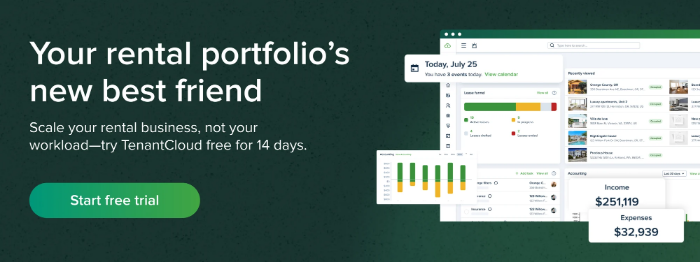
If you’ve ever tried to piece together rent collection, screening, and maintenance across different tools, you already know how quickly things start to feel a little scattered. That’s where TenantCloud tends to stand out among the best property management apps.
- 3 flexible plans starting at $15/month
- Scale up or down depending on your needs
- Online rent collection through ACH, debit, or credit card
- Autopay and rent reminders
- Built-in accounting, financial reports, and payment tracking
- Maintenance requests
- Listings and advertising
- Tenant screening
- Free 14-day trial
2. Landlord Studio
When your numbers are spread across spreadsheets, bank apps, and notes, it can get frustrating trying to piece together what’s actually coming in and going out. That’s where Landlord Studio leans in, with strong property accounting and detailed accounting features that make it easier to track rental income and keep an eye on your cash flow.
- Online rent payments
- Tenant screening
- In depth financial and accounting data
- Lease agreements
- Maintenance requests
- Autopay and rent reminders
- Plans start at $12/per month for 3 units + $1 per additional unit
3. AppFolio
AppFolio is a popular property management software built for larger setups, especially for property managers handling multi family rentals and commercial properties, including mixed-use spaces.
It offers a wide set of tools for managing properties:
- Online payments
- Lease agreements
- Comprehensive financial reporting in large scale
- CAM tracking
- Work orders and maintenance requests
- HOA management
- Per-unit pricing starting at $1.40 + a monthly minimum fee of $280
4. TurboTenant
TurboTenant is an all-in-one platform that offers several free tools for small property managers. Key features include:
- Listing syndication
- Tenant screening
- Online rent collection
- Lease management
- Maintenance tracking
- Accounting basics
- Free plan
- Essential and Pro plans starting at $12.42/month
5. DoorLoop
DoorLoop is another all-in-one platform that brings together all the features you’d expect from modern property management software.
- Online rent collection
- Autopay and rent reminders
- Built-in accounting, financial reports, and payment tracking
- Maintenance requests
- Tenant screening
- Listings and advertising
- QuickBooks sync
- Plans starting at $69/month
Collecting Rent: The Perks of Payment Methods and Fees
With online rent collection, you can take payments online through ACH transfers, debit or credit cards, and standard bank transfers. ACH is usually the lowest cost option, often with small flat fees or even free depending on the platform. Card payments are faster but come with higher processing fees, usually a percentage of the payment. Bank transfers sit somewhere in the middle, depending on how they’re handled.
With automated rent collection, tenants can set up recurring rent payments to increase on-time payments. And when payments do slip, systems can apply late fees automatically, which keeps things consistent. Some platforms even offer flexible rent payment options, giving tenants a bit more room while still keeping your income steady.
The Importance of Tracking Financial Data
Having real-time financial tracking makes a big difference. A solid system should handle transaction reconciliation as it happens, so your records stay accurate without constant manual checks. Good property accounting tools will flag issues like duplicates or missing entries, which saves you from chasing down errors later.
You’ll also want clear financial reports and flexible custom reporting options. Being able to break things down by property, time period, or expense type gives you a much better view of what’s going on. From there, it becomes easier to track rental income, monitor your cash flow, and understand where things might need attention.
Nice-to-Haves: Mobile Apps And User Experience
Once you’re out and about, managing things from a desktop just isn’t realistic, which is where solid mobile apps start to matter a lot more than you might expect. You want something that gives you full access on the go, not a stripped-down version that only half works.
It also helps if both landlord and tenant experiences match up. Good tenant communication tools and resident portals should work just as smoothly for them as they do for you. Add in reliable push notifications and alerts, plus availability on iOS and Android, and it becomes a lot more user friendly in your day to day.
Having a Good Experience: Pricing, Onboarding, And Support
Once you start comparing options, pricing can feel a little unclear at first, especially when every software platform structures things differently. Most tools charge a monthly fee, with a mix of paid plans and sometimes a free plan to get started.
You might also need to pay extra for certain features, so it’s worth checking what’s included upfront. Onboarding usually involves importing data, setting up properties, and configuring payments, which can take a bit of time.
Good support makes a big difference here. Look for chat, email, or phone help, and try to schedule live training sessions so your business gets the most out of your property management software solution.
Pro tip: All TenantCloud plans offer free one-on-one demos, a resourceful Help Center, email support, and in-app chat (varies by plan). Higher-tier plans may include faster response times or priority assistance. If you need additional help, our onboarding team can guide you.
How to Make the Switch: Your Easy Implementation Checklist
Before you switch everything over, it helps to slow things down for a moment and get everything lined up properly. A little prep here makes the whole process feel a lot smoother, and it saves you from fixing issues later.
- Gather all lease agreements and tenant records in one place
- Import your financial data, including bank transactions and payment history
- Set up payment processors so you can collect rent without delays
- Configure notifications and workflows to help you manage tasks and tenant communication
- Invite team members and property owners who need access
- Review all properties and double-check everything before going live
The right rental management software or property management app helps property owners stay on top of their rental properties without the constant back and forth. And over time, that opens the door to steadier revenue streams and even new revenue streams as things grow. Start simple, build from there, and let the systems do the heavy lifting.
Manage Your Rental Business with Ease
TenantCloud is a one-stop-shop for property managers, offering the tools to screen tenants, create leases, track maintenance, list rentals, and collect rent, all in one spot.
Start your free trial today to access our suite of property management tools.
FAQs
How do mobile apps improve property management efficiency?
Mobile apps can increase efficiency in a variety of ways. By streamlining rent collection, tenant communications, maintenance requests, and document management, landlords and property managers can stay organized and reduce timely paperwork.
What rental app do property managers use most?
There are several popular platforms for property managers, including TenantCloud, TurboTenant, AppFolio and DoorLoop.


